Summary
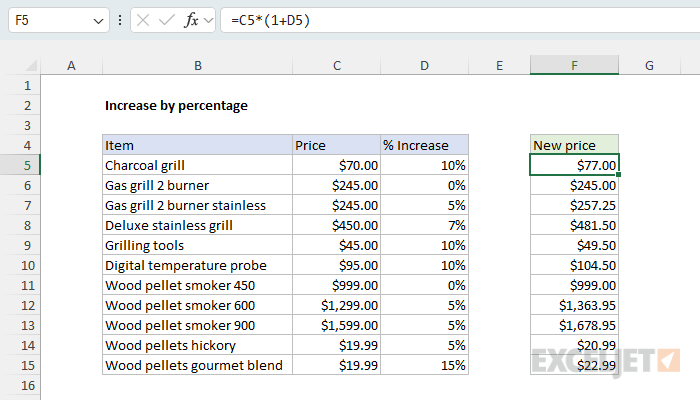
To increase a number by a certain percentage, you can use a simple formula that multiplies the number times the percentage + 1. In the example shown, the formula in cell F5 is:
=C5*(1+D5)
The results in column F are the new prices. The percentages in column D are decimal values with the percentage number format applied.
Generic formula
=number*(1+percent)
Explanation
In this example, the goal is to increase the prices shown in column C by the percentages shown in column D. For example, given the original price of $70.00, and an increase of 10%, the result should be $77.00. The general formula for this calculation, where "x" is the new price, is:
x=old*(1+percentage)
x=70*(1+10%)
x=70*1.10
x=77.00
Converting this to an Excel formula with cell references, the formula in F5 becomes:
=C5*(1+D5)
=70*(1+0.1)
=70*1.10
=77.00
As the formula is copied down, the formula returns a new price for each item in the table, based on the percentages shown in column D.
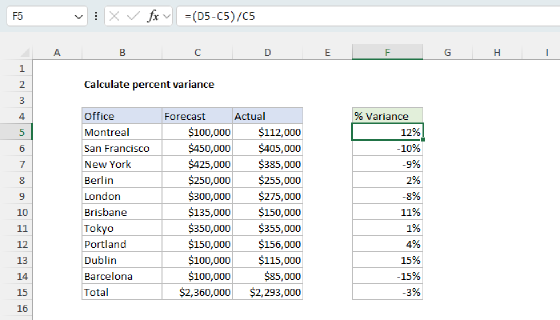
To calculate the percent increase between two numbers (from $70.00 to $77.00, for example), see Calculate percent variance.
Negative percentages
Negative percentages will have the effect of decreasing the original price. For example, with -10% in cell D5 (-0.10), the formula evaluates like this:
=C5*(1+D5)
=70*(1+-0.1)
=70*0.9
=63.00
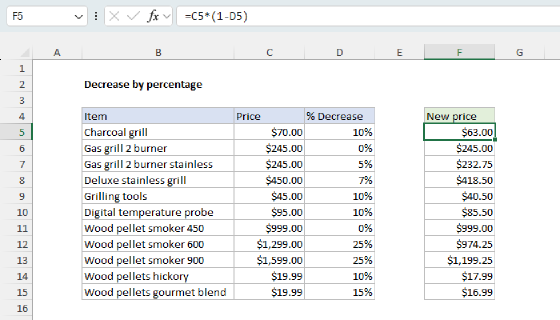
This example explains the general formula for decreasing a number by a given percentage.