Summary
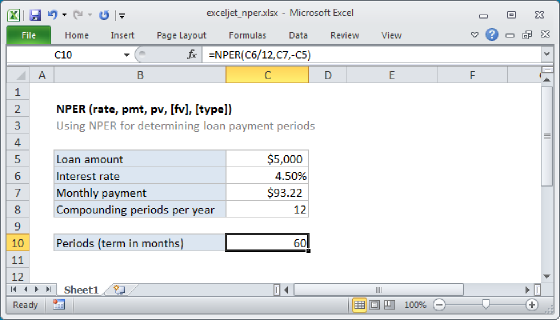
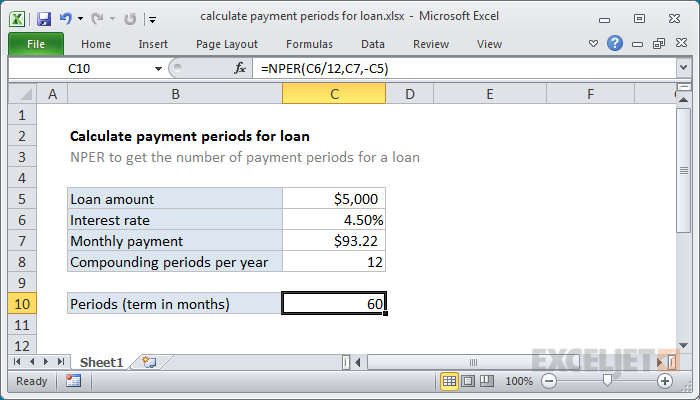
To calculate the number of payment periods for a loan, given the loan amount, the interest rate, and a periodic payment amount, you can use the NPER function. In the example shown, the formula in C10 is:
=NPER(C6/12,C7,-C5)
Generic formula
=NPER(rate,payment,-loan)
Explanation
Loans have four primary components: the amount, the interest rate, the number of periodic payments (the loan term) and a payment amount per period. One use of the NPER function is to calculate the number of periodic payments for a loan.
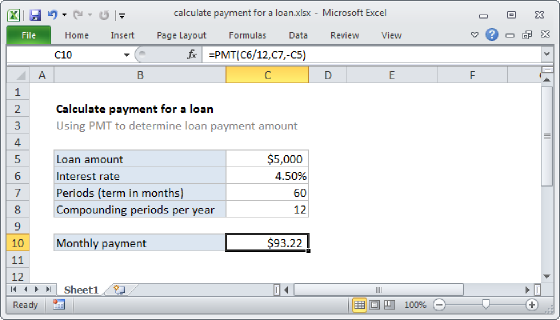
For this example, we want to calculate the number of payments for a $5000 loan, with a 4.5% interest rate, and fixed payments of $93.22. The NPER function is configured as follows:
rate - The interest rate per period. We divide the value in C6 by 12 since 4.5% represents annual interest:
=C6/12
pmt - The payment made each period. This is the known amount $93.22, which comes from cell C7.
pv - The present value, or total value of all payments now. In the case of a loan, this is input as a negative value by adding a negative sign in front of C5:
-C5
fv - the future value, or desired balance after last payment. We do not provide a value since the default is zero and makes sense for a loan.
type - When payments are due, where 0 = end of period and 1 = beginning of period. Default is 0 so we do not provide a value.
With these inputs, the NPER function returns 59.996, which is rounded to 60 in the example, representing 60 months = 5 years. The monthly payment is rounded to the nearest penny, which causes NPER to return a number slightly less than 60.