Windows Mac
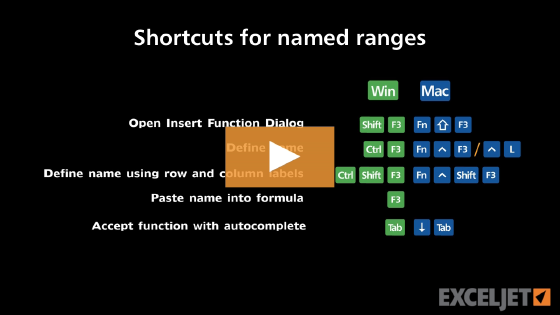
CtrlF3 Fn⌃F3

About This Shortcut 

In Windows, this shortcut now displays the Name Manager dialog, where you can click the New button, to create a new name. There is no actual shortcut to create a single new name, except through the ribbon: Alt M + MD

On a Mac running Excel 365, the shortcuts fn + Control + F3 and fn + Command + F3 both open the Name Manager. In older Mac versions, fn + Control + F3 displays the Define Name dialog box, which offers to name a range based on the current selection.
Support Exceljet

Many websites (including Exceljet) have lost over half their traffic in the past year because of the crushing impact of AI on web searches. Exceljet is still at it, publishing free content each week. If you find Exceljet helpful, you can support the site and go ad-free with the Exceljet Lifetime Pass. One payment, no subscription, and ads are gone forever. Plus, you get our Excel Shortcuts video course as a thank you.

Get the Lifetime Pass

Dave Bruns Profile Picture

AuthorMicrosoft Most Valuable Professional Award

Dave Bruns

Hi - I'm Dave Bruns, and I run Exceljet with my wife, Lisa. Our goal is to help you work faster in Excel. We create short videos, and clear examples of formulas, functions, pivot tables, conditional formatting, and charts.