
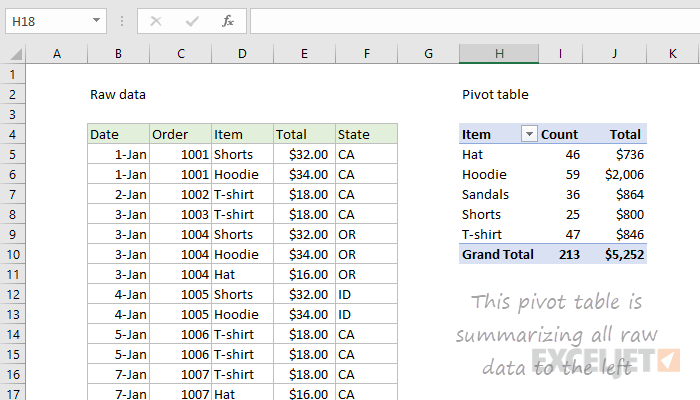
A Pivot Table is a special tool in Excel for summarizing data without formulas. The Pivot Table interface behaves like a report generator, allowing you to interactively add and remove fields as you like. The screen below shows the how fields have been configured to build the pivot table shown above.
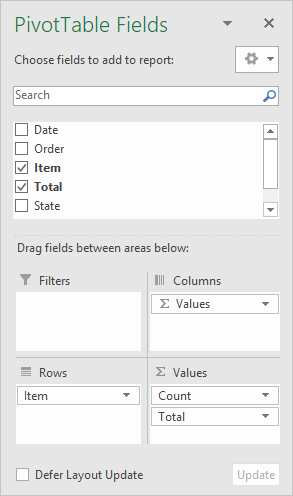
Excel Pivot Table builder interface

When data changes, you can simply refresh the pivot table to see a new summary. Pivot tables automatically group data using field values.

Support Exceljet

Many websites (including Exceljet) have lost over half their traffic in the past year because of the crushing impact of AI on web searches. Exceljet is still at it, publishing free content each week. If you find Exceljet helpful, you can support the site and go ad-free with the Exceljet Lifetime Pass. One payment, no subscription, and ads are gone forever. Plus, you get our Excel Shortcuts video course as a thank you.

Get the Lifetime Pass