Summary
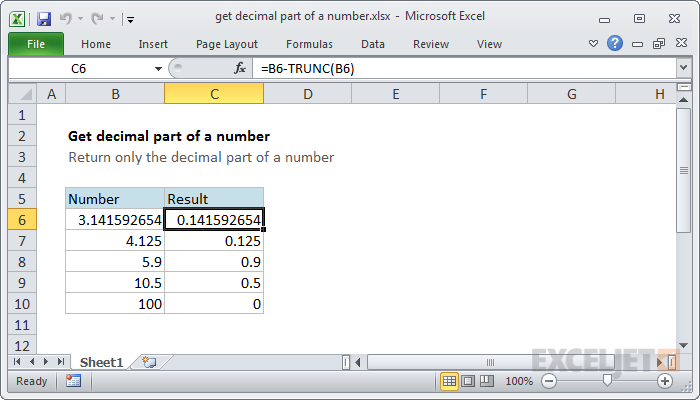
To get just the decimal part of a number, you can use a formula based on the TRUNC function. In the example shown, the formula in cell C6 is:
=B6-TRUNC(B6)
Generic formula
=number-TRUNC(number)
Explanation
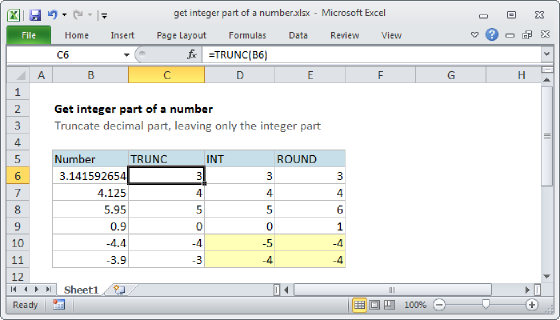
Excel contains a number of rounding functions. Two of these functions, the INT function and the TRUNC function will return the integer portion of a number that contains a decimal value.
The INT function behaves a bit differently with negative values, so in this example we are using the TRUNC function. The TRUNC function simply truncates (i.e. removes) decimal values if they exist – it doesn't do any rounding.
In the example shown, cell C6 contains this formula:
=B6-TRUNC(B6)
The TRUNC function returns the integer portion of the number which is then subtracted from the original value. The result is the decimal portion of the number.
If the original number is an integer to begin with, the result of this formula is zero.