Above: Using the FILTER function to return multiple matches on "red".
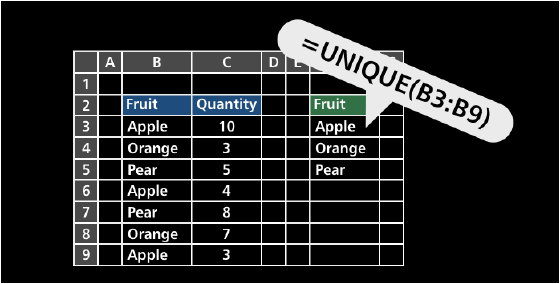
In fall 2018, Microsoft announced a new feature in Excel called "dynamic array formulas". In a nutshell, this feature allows formulas to return multiple results to a range of cells on the worksheet based on a single formula entered in one cell. This behavior is called "spilling" and results appear in a "spill range". All results are dynamic – if source content changes, the results dynamically update to stay in sync.
To leverage this feature, Microsoft also released new dynamic array functions:
| Function | Purpose |
|---|---|
| FILTER | Filter data and return matching records |
| RANDARRAY | Generate array of random numbers |
| SEQUENCE | Generate array of sequential numbers |
| SORT | Sort range by column |
| SORTBY | Sort range by another range or array |
| UNIQUE | Extract unique values from a list or range |
| XLOOKUP | Modern replacement for VLOOKUP |
| XMATCH | Modern replacement for the MATCH function |
These functions make many long-standing and difficult problems in Excel much easier.
Dynamic Arrays are available in Excel 2021+ and Excel 365.