Summary
To calculate how much to save each month to reach a savings goal, you can use the PMT function with a monthly rate and a monthly number of periods. In the example shown, the formula in C12 is:
=PMT(C7/12,C6*12,C8,-C5)
where C5 contains the savings goal, C6 the number of years, C7 the expected annual return, and C8 the starting balance. With a goal of $60,000 in 5 years, a 5% annual return, and $10,000 already saved, PMT returns $693.56. This is the amount to save each month to reach the goal on time. See below for details, and for a check with the FV function.
Generic formula
=PMT(rate/12,years*12,start,-goal)
Explanation
The question of how much you need to save each month to reach X dollars in Y years is one of the most common questions in personal finance. As you would expect, Excel has a function dedicated to this task. The PMT function returns the payment needed each period, given a rate, a number of periods, a present value, and a future value. Most people know PMT as a loan payment function, but it works just as well for a savings plan: the "payment" is the monthly deposit, the present value is what you have already saved, and the future value is the goal. Online calculators often label this figure the monthly deposit or monthly contribution; on this page it is called monthly savings.
In this example, the goal is to calculate the monthly savings needed to reach $60,000 in 5 years, assuming a 5% annual return and a starting balance of $10,000. The worksheet uses monthly periods throughout: the annual return is divided by 12 to get a monthly rate, and the number of years is multiplied by 12 to get the number of months. The article below explains the formula, shows how to check the result with the FV function, and explains how to use the worksheet with your own numbers.
Table of contents
- Worksheet setup
- The PMT formula
- Monthly rate and monthly periods
- Managing the signs
- Checking the result with FV
- How to use this worksheet
- The return rate makes a big difference
- Summary
Worksheet setup
The worksheet has four inputs in the range C5:C8 and three outputs in the range C12:C14:
| Input | Description | Example |
|---|---|---|
| Savings goal | The amount you want at the end | $60,000 |
| Years | The number of years you have to get there | 5 |
| Annual return | The rate you expect the savings to earn each year | 5% |
| Starting balance | The amount you have saved already (if any) | $10,000 |

The main output is the monthly savings in C12, explained below. The other two outputs are there to show where the money comes from. Total contributions in C13 multiplies the monthly savings by the number of months:
=C12*C6*12
This is the total of all savings deposits you will make over the full term. Growth in C14 is what is left over after subtracting the starting balance and the total contributions from the goal:
=C5-C8-C13
This is the amount contributed to the savings goal by investment growth. With the inputs shown, contributions add up to $41,614, and growth (the return earned on the starting balance and the deposits) supplies the remaining $8,386.
The PMT formula
The formula in C12 is:
=PMT(C7/12,C6*12,C8,-C5)
The arguments are configured like this:
- rate is the annual return in C7 divided by 12, which gives a monthly rate of about 0.417%.
- nper is the number of years in C6 multiplied by 12, which gives 60 months.
- pv is the starting balance in C8, $10,000.
- fv is the savings goal in C5, entered as a negative number.
With these inputs, PMT returns $693.56. In other words, if you already have $10,000, and you save $693.56 at the end of every month for 5 years while earning 5% per year, you will have met your goal of saving $60,000 at the end. The starting balance is entered as a positive number, and the goal as a negative number, so that PMT returns a positive result. See Managing the signs below.
Monthly rate and monthly periods
The one rule to remember with PMT (and with the other financial functions FV, PV, and NPER) is that the rate and nper arguments must use the same units. If you save monthly, the rate must be a monthly rate and the number of periods must be a number of months. Since return rates are almost always quoted per year, the formula divides the annual return by 12 and multiplies the years by 12:
=PMT(C7/12,C6*12,C8,-C5) // monthly
If you leave the rate and periods in years, PMT returns a yearly figure:
=PMT(C7,C6,C8,-C5) // returns $8,548.74 per year
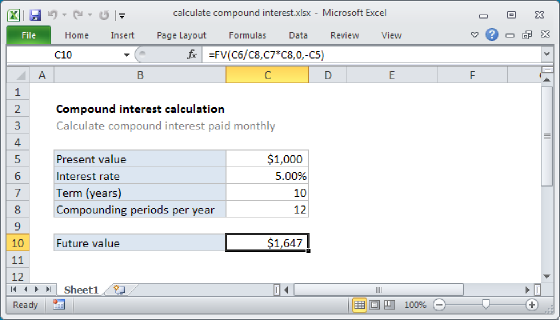
Dividing this result by 12 gives $712.40, which is close to the monthly figure but not the same. The difference comes from timing: with monthly deposits, each deposit starts earning a return as soon as it is made, and the return compounds monthly instead of annually. For a savings plan with monthly deposits, use the monthly version. The same idea applies to the FV function when calculating compound interest.
Note: dividing the annual rate by 12 treats 5% as a nominal annual rate, which is the convention used by most savings calculators. Compounded monthly, 5%/12 works out to an effective annual return of about 5.12%, which you can confirm with =EFFECT(C7,12). If your 5% is already an effective annual rate, use =NOMINAL(C7,12)/12 for the monthly rate. See the EFFECT function and the NOMINAL function for details.
Managing the signs
Excel's financial functions use the sign of a number to show the direction the money is moving. Amounts that flow one way get one sign, and amounts that flow the other way get the opposite sign. Which direction is positive is up to you, as long as you are consistent. In this worksheet, the starting balance and the monthly savings both flow into the account, so they share a sign, and the goal flows out at the end, so it gets the opposite sign. The formula in C12 makes the goal negative so that PMT returns the monthly savings as a positive number.
If you prefer to think from your own point of view, where deposits are money you pay out, enter the starting balance as a negative number and the goal as a positive number:
=PMT(C7/12,C6*12,-C8,C5) // returns -$693.56
PMT then returns the same amount with the sign reversed. Either way works. What matters is that the goal has the opposite sign from the starting balance. If they share a sign, PMT is solving a different problem and returns a much larger number.
One other detail to know about the sign: if the starting balance will grow past the goal on its own, PMT returns a negative result, which means no savings are needed, and the number shows how much could be withdrawn each month while still reaching the goal.
Checking the result with FV
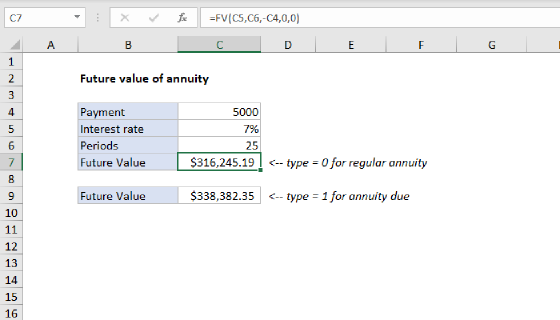
A good way to build confidence in a formula like this is to work the problem in reverse. The FV function returns the future value of an investment given a rate, a number of periods, a periodic payment, and a present value. If the monthly savings figure is right, FV should return the goal. In the worksheet below, the inputs are the same as before, and the formula in C13 is:
=FV(C7/12,C6*12,-C12,-C8)

The rate is 5% divided by 12, the number of periods is 5 times 12, the payment is the monthly savings in C12, and the present value is the starting balance in C8. Both the payment and the present value are entered as negative numbers (money paid in), so that FV returns a positive number. The result is $60,000, the savings goal.
How to use this worksheet
The worksheet is set up as a small calculator, so you can download it and enter your own numbers:
- Enter your savings goal in C5, the number of years you have in C6, the annual return you expect in C7, and what you have saved already in C8. Enter 0 in C8 if you are starting from scratch.
- Read the result in C12. This is the amount to save each month. C13 shows the total you will contribute over the full term, and C14 shows how much of the goal comes from growth.
- Try a few what-ifs by changing the inputs. Each change updates the outputs right away.
Some what-ifs worth trying with the example inputs:
- Starting balance of 0. With nothing saved yet, PMT returns $882.27 per month instead of $693.56.
- Return of 0%. With no growth, the monthly savings figure is just the gap between the goal and the starting balance divided by the number of months, and PMT returns exactly $833.33. This is a useful sanity check: any positive return should give a smaller number.
- A different return rate. The table in the next section shows how the monthly figure changes with the rate.
The only variation that needs a formula change is the timing of the deposits. By default, PMT assumes each payment is made at the end of the period. If you make deposits at the start of each month, each deposit earns one extra month of return, and the required savings drop slightly. To model this, set the optional type argument to 1:
=PMT(C7/12,C6*12,C8,-C5,1) // returns $690.68
The return rate makes a big difference
Over a short period like 5 years, the return rate matters, but the effect is moderate. The table below shows the monthly savings needed to reach $60,000 in 5 years with $10,000 already saved, at several rates of return:
| Annual return | Monthly savings |
|---|---|
| 0% | $833.33 |
| 2% | $776.39 |
| 4% | $720.83 |
| 6% | $666.64 |
| 8% | $613.82 |
| 10% | $562.35 |
Over longer periods, the rate matters much more, because the return has more time to compound. For example, with the same starting balance and a 10-year goal at 7%, the monthly figure drops to $230.54. If you want to know the lump sum you would need to invest today to reach the goal with no monthly savings at all, that is a job for the PV function; see the "Investment goal" example on the PV function page, or Calculate Coast FI number for the retirement version of the same calculation.
Unless you are investing in a fixed-rate investment like a Treasury or a CD, the return rate is an assumption, not a guarantee. Savings accounts and bonds pay a fairly predictable return, but the return on stocks varies a lot from year to year, which can have a larger impact on short-term savings goals. In addition, none of these formulas account for taxes, fees, or inflation. Treat the result as a planning estimate and revisit it as you go.
Summary
The PMT function calculates the monthly savings needed to reach a goal:
- Divide the annual return by 12 for the rate argument and multiply the years by 12 for the nper argument, so both are in months.
- Enter the starting balance as pv and the goal as a negative fv so the result is positive. Use 0 for pv if you are starting from scratch.
- Check the result with the FV function: the same rate and periods, with the monthly savings and the starting balance as negative numbers, should return the goal.
- Set type to 1 if deposits are made at the start of each month.
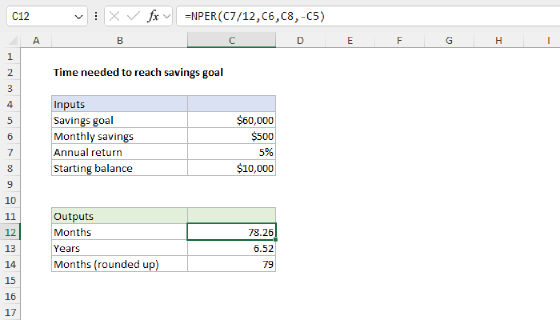
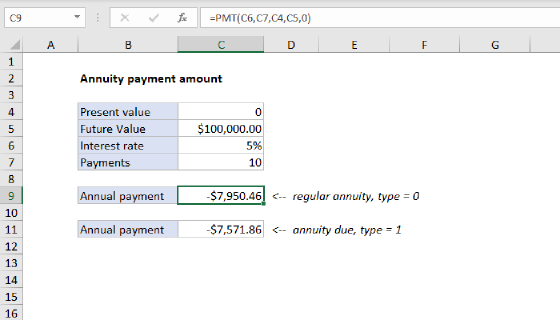
To go the other way and calculate how long it will take to reach a goal with a fixed monthly amount, see Time needed to reach savings goal. For the same calculation with annual payments and annuity terminology, see Payment for annuity. To calculate the monthly payment for a loan instead, see Calculate payment for a loan.