Summary
To list every possible permutation (arrangement) of a list of items, you can use a formula based on the SEQUENCE function, the INDEX function, and the FILTER function. In the example shown, the list of four items is in the range B5:B8, and the formula in D5 is:
=LET(
  list,B5:B8,
  items,TOCOL(list),
  n,ROWS(items),
  counter,SEQUENCE(n^n,,0),
  powers,SEQUENCE(,n,n-1,-1),
  picks,MOD(INT(counter/n^powers),n)+1,
  keep,BYROW(picks,LAMBDA(tuple,COUNT(UNIQUE(tuple,TRUE))=n)),
  FILTER(INDEX(items,picks),keep)
)
This formula returns all 24 arrangements of the four items in B5:B8. The resulting array lands as a table in cell D5 and spills into the range D5:G28.
A permutation is an arrangement where order matters and each item is used once, so the number of arrangements of
nitems isnfactorial (n!). For 4 items that is4! = 24, which you can confirm with FACT or PERMUT:=FACT(4)and=PERMUT(4,4)both return 24. The formula above adapts to the length of the list on its own; the reusable LAMBDA near the end scales to much longer lists.
Generic formula
=LET(
  list,range,items,TOCOL(list),n,ROWS(items),
  counter,SEQUENCE(n^n,,0),
  powers,SEQUENCE(,n,n-1,-1),
  picks,MOD(INT(counter/n^powers),n)+1,
  keep,BYROW(picks,LAMBDA(tuple,COUNT(UNIQUE(tuple,TRUE))=n)),
  FILTER(INDEX(items,picks),keep)
)
Because the number of positions comes from the list itself, this formula works for a list of any length. However, because it builds n^n "tuples" (a tuple is just an ordered list of positions) before filtering, it becomes impractical in an Excel worksheet after about 7 items. For longer lists, use the recursive LAMBDA shown below.
Explanation
Excel has functions that count permutations (PERMUT) and factorials (FACT), but these functions don't list the actual arrangements. In this example, the goal is to generate every permutation of a list, not just count them.
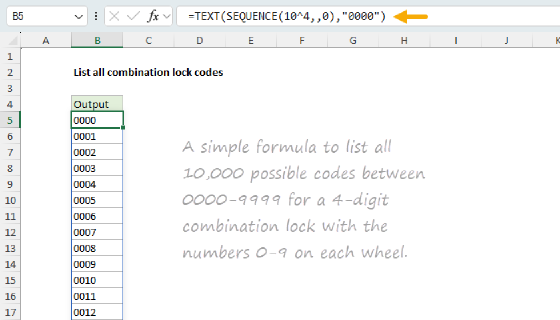
The overall strategy is to generate, then filter: first build every possible index tuple using an odometer counting trick, then keep only the tuples that use each position once. This is the same "odometer engine" explained in detail on the combination lock codes page.
Table of contents
- What is a permutation?
- Generate every arrangement
- Keep only the valid permutations
- Fetch actual values with INDEX
- The complete formula
- The same formula works with text
- When the list has duplicate values
- Recursive lambda for more items
- Permutations grow fast
- Summary
What is a permutation?
A permutation is an arrangement where order matters. Listing the same items in a different order gives a different permutation, so 1,2,3,4 and 4,3,2,1 are two different arrangements. This is the opposite of a combination, where order does not matter.
When you arrange all the items in a list and each item is used exactly once, the number of arrangements is the factorial of the list size, written n!. There are n choices for the first position, n-1 left for the second, n-2 for the third, and so on:
4! = 4 × 3 × 2 × 1 = 24
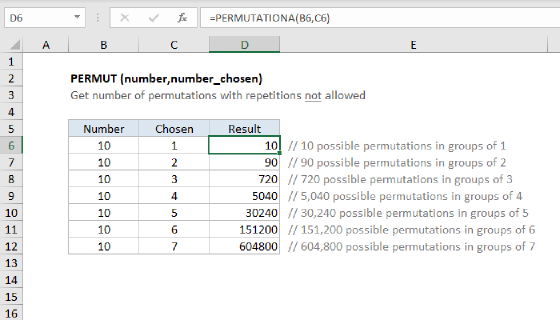
In Excel, you can confirm the count with FACT or PERMUT:
=FACT(4)      // returns 24
=PERMUT(4,4)  // returns 24
Both return 24, but neither lists the 24 arrangements. That is what the formula on this page does. For a full explanation of the difference between permutations and combinations, see Combinations and permutations in Excel.
Generate every arrangement
There is no simple way to step directly through only the valid arrangements, so instead we generate every possible position and then throw away the ones that aren't valid. To generate all positions, we use the odometer idea explained on the combination lock codes page: count from the first tuple to the last, where the rightmost position turns fastest and each position rolls the one to its left forward when it completes a full cycle.
With 4 positions and 4 possible items at each position, there are 4^4 = 256 tuples to count through. We generate a counter with the SEQUENCE function, starting at zero, and assign it to counter:
counter,SEQUENCE(n^n,,0) // n = 4, so 256 numbers, 0 to 255
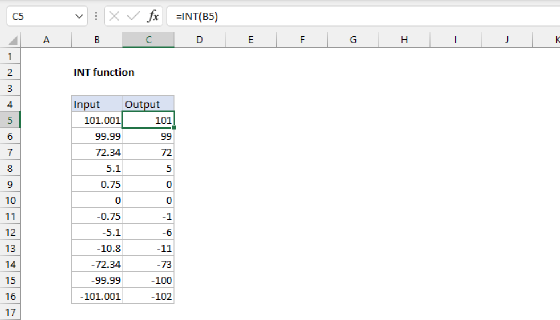
Each value in counter is a single number that identifies one tuple. Turning that number back into its separate positions is a kind of decoding, just as each wheel on an odometer reading shows one digit of the whole. We decode each number using a pattern based on the INT and MOD functions.
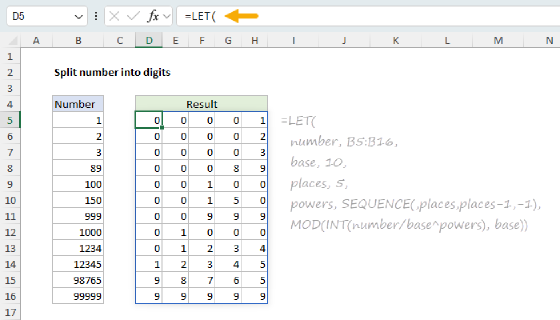
The main idea is place value. The number 1234 can be expressed like this:
1×10^3 + 2×10^2 + 3×10^1 + 4×10^0
To extract each digit, we can divide by the matching power of 10 and get the remainder. By hand, the digits of 1234 can be extracted like this:
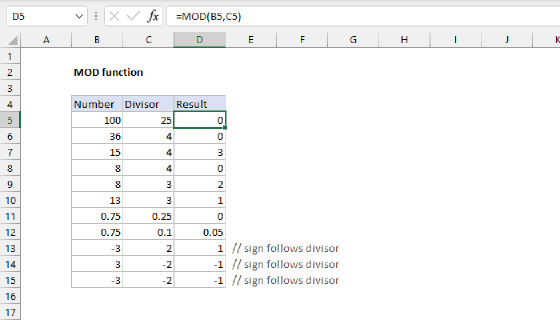
MOD(INT(1234/10^3),10)  // thousands digit = 1
MOD(INT(1234/10^2),10)  // hundreds digit = 2
MOD(INT(1234/10^1),10)  // tens digit = 3
MOD(INT(1234/10^0),10)  // ones digit = 4
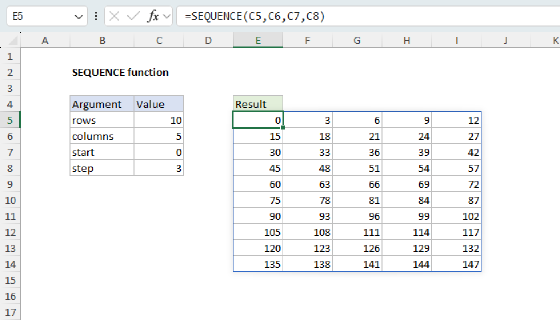
Instead of decoding each position separately, we can decode them all at once by creating a small horizontal array of powers with SEQUENCE like this:
powers,SEQUENCE(,n,n-1,-1) // returns {3,2,1,0}
Notice we have skipped the first argument, rows, in SEQUENCE and provided n for columns.
Then we use powers in the INT+MOD pattern we looked at above:
picks,MOD(INT(counter/n^powers),n)+1
Dividing the counter column by the n^powers row spreads the work across a grid: Excel pairs the single column against the four powers and returns a 256-row by 4-column matrix.
The INT+MOD pattern decodes every position in one step. The +1 is there because the decode returns positions from 0 to n-1, but INDEX counts rows starting at 1, so we shift the range up to 1 through n. The result, picks, is a 256-row by 4-column matrix: one row per tuple, one column per position, holding every tuple from 1,1,1,1 to 4,4,4,4. Because the positions come from powers, the same formula will adapt to a list of any length automatically.
For a more complete explanation of this place-value decode, see Split number into digits.
Keep only the valid permutations
Most of those 256 tuples are not valid permutations. A tuple like 1,1,2,3 repeats the first item and skips the fourth, so it isn't an arrangement of all four items. A tuple is a valid permutation only when every position is different, because that is the only way each item gets used exactly once.
To identify valid permutations, we test each row of picks with the BYROW function and the UNIQUE function like this:
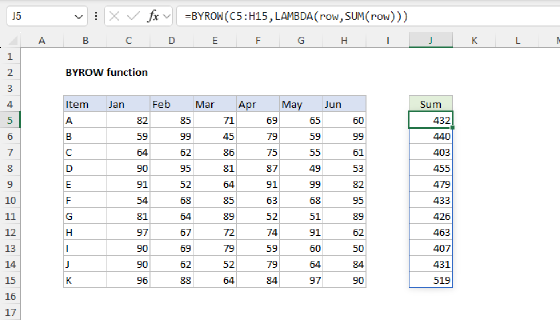
keep,BYROW(picks,LAMBDA(tuple,COUNT(UNIQUE(tuple,TRUE))=n))
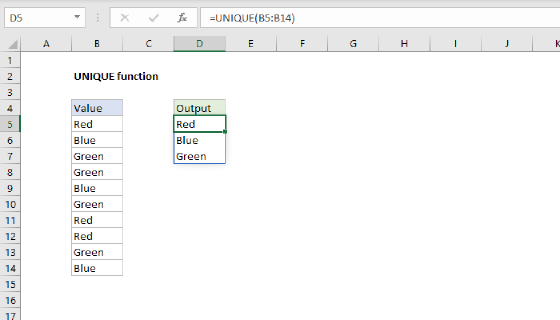
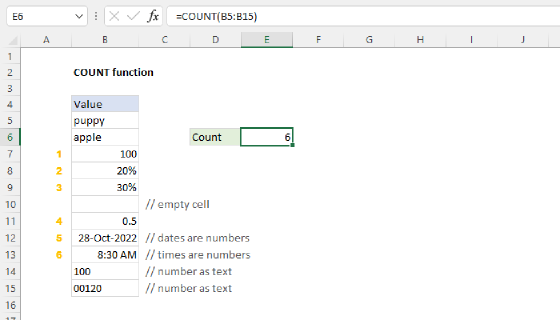
For each row (tuple), UNIQUE(tuple,TRUE) lists the distinct positions in that row, and COUNT counts the result. When the count equals n, every position is different and the row is a valid permutation. The second argument TRUE tells UNIQUE to compare by column, so it removes duplicate values across the row rather than treating the whole row as one record. Out of the 256 tuples, exactly 24 pass this test, which matches 4! = 24 as expected.
Fetch actual values with INDEX
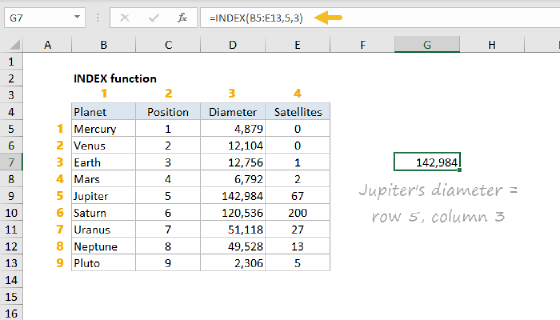
The positions in picks are just row numbers. To turn them into the actual items, we feed the whole matrix to the INDEX function at once:
INDEX(items,picks)
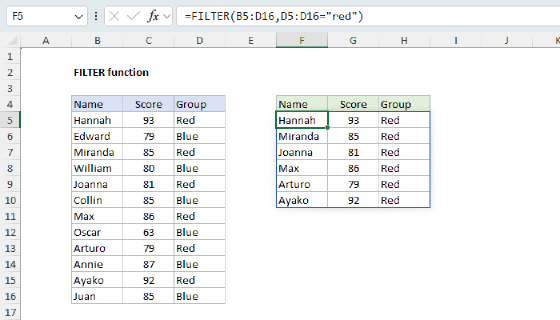
INDEX accepts the entire 256-by-4 matrix of positions and returns a matching matrix of values, looking each position up in items. This is what allows this formula to preserve type: numbers stay numbers and text stays text, because we are fetching actual values from the list rather than building strings. The FILTER function then keeps only the rows where keep is 1:
FILTER(INDEX(items,picks),keep)
The complete formula
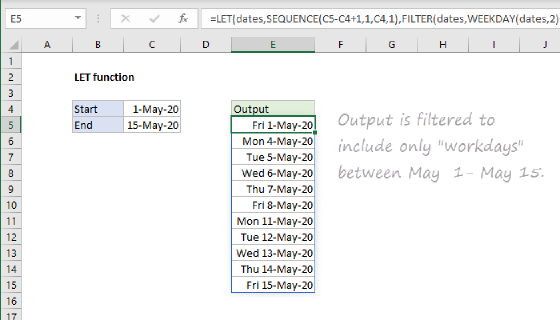
Putting it all together, we have the formula from the top of the page. The LET function names each step so the logic reads top to bottom, and TOCOL normalizes the input so the list can be a row or a column:
=LET(
  list,B5:B8,
  items,TOCOL(list),
  n,ROWS(items),
  counter,SEQUENCE(n^n,,0),
  powers,SEQUENCE(,n,n-1,-1),
  picks,MOD(INT(counter/n^powers),n)+1,
  keep,BYROW(picks,LAMBDA(tuple,COUNT(UNIQUE(tuple,TRUE))=n)),
  FILTER(INDEX(items,picks),keep)
)
The result is a table of 24 rows by 4 columns, every possible ordering of the four items:
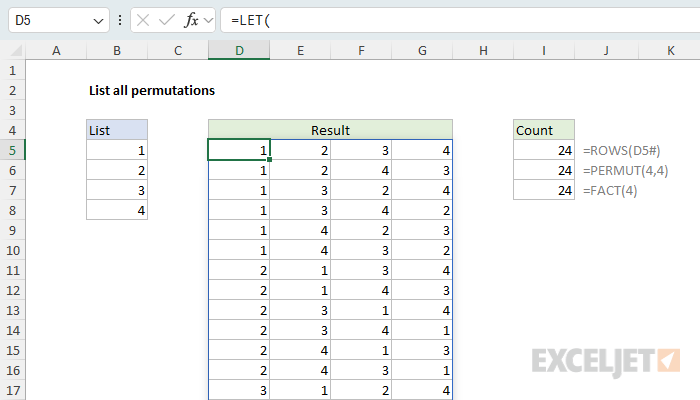
You can confirm the count by checking the number of rows in the spilled result against PERMUT and FACT, which all return 24:
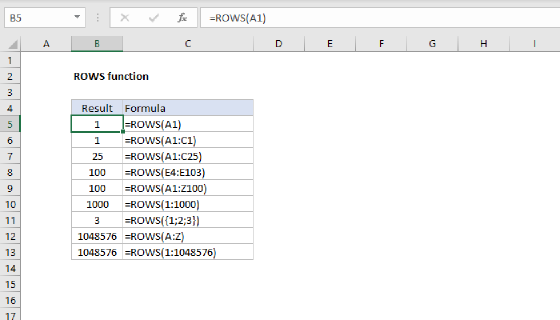
=ROWS(D5#)    // returns 24
=PERMUT(4,4)  // returns 24
=FACT(4)      // returns 24
The same formula works with text
Because the list keeps its original values via INDEX, the same formula works with text. When list is a range of letters, words, or names, the formula will continue to work properly. Here the list in B5:B8 is the four letters A, B, C, D:
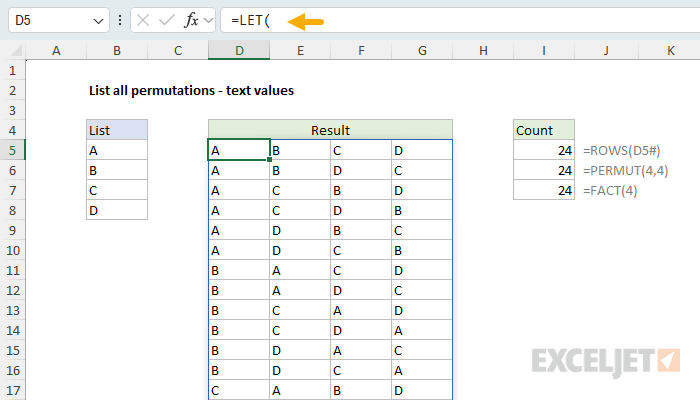
Nothing in the formula changes. This is a key advantage of looking up values with INDEX rather than building text strings: the result doesn't mangle your data.
When the list has duplicate values
The formula assumes the list contains four different items. If the list has a repeated value, swapping the two equal items produces two rows that look identical. For example, a list of 6,7,2,7 still returns 24 rows, but only 12 of them are actually distinct because the two 7s can trade places without changing what you see on screen. To remove these duplicates, wrap the whole formula in the UNIQUE function:
=UNIQUE( LET( ... same formula as above ... ) )
With 6,7,2,7 this returns the 12 distinct arrangements (24 ÷ 2 for the repeated 7).
Recursive lambda for more items
The on-sheet formula adapts to the length of the list on its own, but the generate-and-filter approach grows quickly: it builds n^n tuples before filtering, so it becomes impractical past about 7 items. For a longer list, define a reusable LAMBDA in Name Manager.
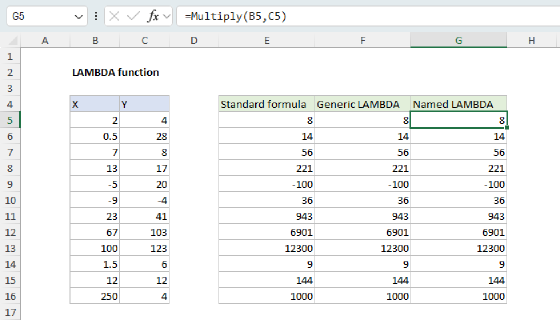
Go to Formulas → Name Manager → New, enter the name PERMS, and paste this into Refers to:
=LAMBDA(list,LET(
  v,TOCOL(list),
  n,ROWS(v),
  IF(n=1,v,
    REDUCE("",SEQUENCE(n),LAMBDA(acc,i,LET(
      e,INDEX(v,i),
      rest,FILTER(v,SEQUENCE(n)<>i),
      sub,PERMS(rest),
      m,ROWS(sub),
      block,HSTACK(IF(SEQUENCE(m,1),e),sub),
      IF(i=1,block,VSTACK(acc,block))
    )))
  )
))
Once defined, you can list every permutation of any list with a single, short formula:
=PERMS(B5:B10) // spills 720 rows × 6 columns for a 6-item list
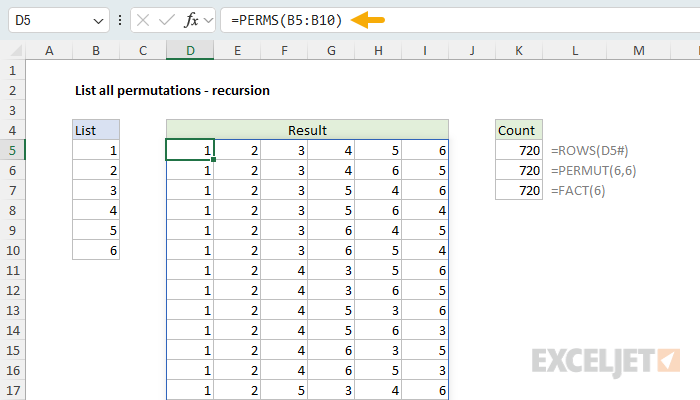
This formula generates permutations by using a classic recursive idea: Choose each item once as the first item, then append all permutations of the remaining items. So, if we have a list like:
{"A";"B";"C"}
the formula works like this:
- Pick A first → append permutations of B,C
- Pick B first → append permutations of A,C
- Pick C first → append permutations of A,B
Which creates:
A B C
A C B
B A C
B C A
C A B
C B A
Recursive formulas are hard to understand, so let's walk through the code step by step.
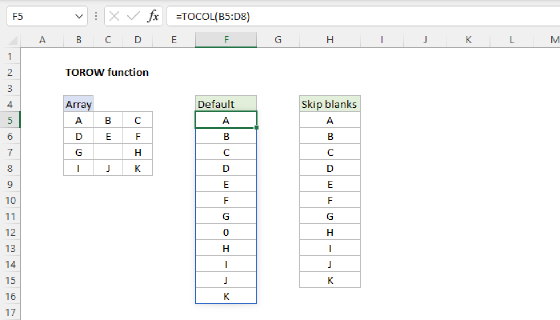
First, the formula normalizes the input into a single-column array with the TOCOL function:
v,TOCOL(list)
Then it counts the items in the list:
n,ROWS(v)
A recursive formula calls itself repeatedly until a condition is met. In this formula, the stop condition is:
IF(n=1,v,...)
This is the base case for the recursion. A one-item list has only one permutation, itself. For lists with more than one item, this part loops over each item number:
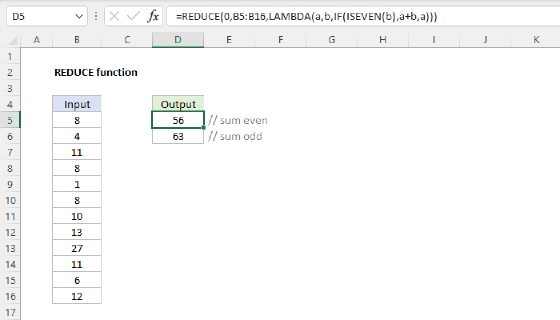
REDUCE("",SEQUENCE(n),LAMBDA(acc,i,...))
SEQUENCE spins up a numeric array beginning at 1 and ending at n. Inside the lambda, acc is an "accumulator" and i is the current counter, as REDUCE loops through the array created by SEQUENCE. For each i, the formula chooses one item:
e,INDEX(v,i)
Then it creates a small list without that item:
rest,FILTER(v,SEQUENCE(n)<>i)
Then the key recursive step, which asks for all permutations of the remaining items:
sub,PERMS(rest)
These permutations are assigned to sub which stands for sub-permutations. The next line counts the rows in sub:
m,ROWS(sub)
Next, the formula puts the previously selected item e in front of every row returned by the recursive call:
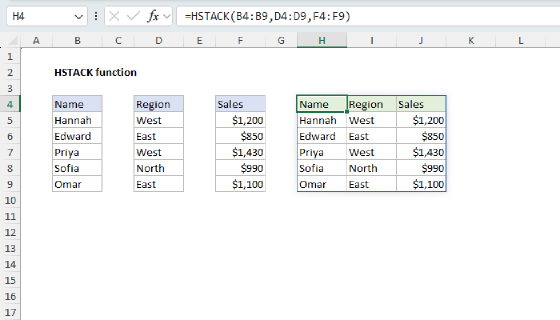
block,HSTACK(IF(SEQUENCE(m,1),e),sub)
The IF(SEQUENCE(m,1),e) trick repeats e vertically m times, so it can be stacked next to sub with HSTACK. Finally, each block is stacked under the previous blocks:
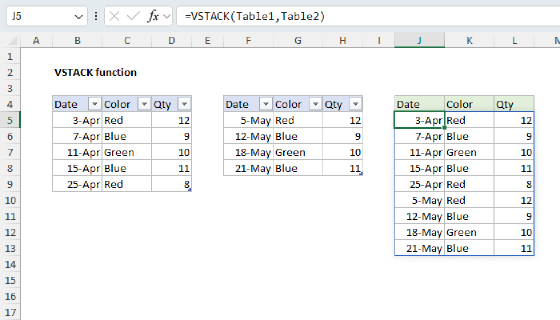
IF(i=1,block,VSTACK(acc,block))
The i=1 test is only there to avoid keeping the initial empty string provided to REDUCE. Here's a quick recap, tracing through the names used in the formula:
vis the list as a column andnis its length. Whennis 1, the list is its own only arrangement, so the formula returnsvand stops.- REDUCE loops
iover each position from 1 ton, fixing a different item at the front on each pass. eis that fixed item, andrestis the list with it removed, using FILTER to drop positioni.subis the recursive callPERMS(rest): every arrangement of the items that remain.mis the number of rows insub, andblockputsein front of every row ofsub:IF(SEQUENCE(m,1),e)builds a column oferepeatedmtimes, HSTACK joins that column to the left ofsub, and VSTACK stacks each block under the last to build the full result.
Because PERMS generates only the n! valid arrangements (not the n^n tuples the on-sheet formula filters down), it scales much further. It is still factorial, so it grows fast, but it handles larger lists comfortably. The same UNIQUE wrap shown above can be used to remove duplicate rows when the list has repeated values.
Permutations grow fast
Factorials grow extremely quickly, so the number of permutations explodes as the list gets longer:
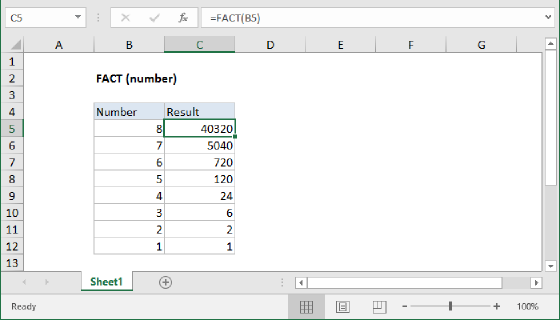
=FACT(5)   // returns 120
=FACT(8)   // returns 40,320
=FACT(10)  // returns 3,628,800
A list of 10 items has more than 3.6 million arrangements, and a list of 13 items already exceeds the roughly 1 million rows in a worksheet. Check the size before you generate: even though the formula spills automatically, a long list can produce far more rows than Excel can hold.
Summary
Listing every permutation of a list comes down to generate-and-filter, built on the same odometer decode used for combination lock codes:
- Count through every position tuple with
SEQUENCE, then decode every position at once with apowersrow,INT, andMOD. - Keep only the tuples where every position differs, so each item is used exactly once.
- Pull the real values by handing the whole position matrix to
INDEX, then filter withFILTER. - For a list of any length, use the recursive
PERMSLAMBDA, which generates only the valid arrangements.
To list selections where order does not matter, see List all combinations. For the difference between permutations and combinations, see Combinations and permutations in Excel.