Summary
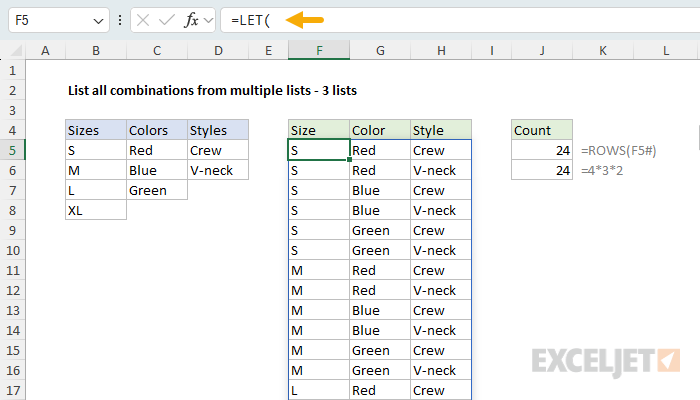
To list every possible combination of items from multiple lists, you can use a formula based on the SEQUENCE function, the INDEX function, and the HSTACK function. In the example shown, the goal is to list every way to combine one size, one color, and one style for a T-shirt. Sizes are in B5:B8, colors in C5:C7, styles in D5:D6, and the formula in F5 is:
=LET(
  list1,B5:B8,
  list2,C5:C7,
  list3,D5:D6,
  rows1,ROWS(list1),
  rows2,ROWS(list2),
  rows3,ROWS(list3),
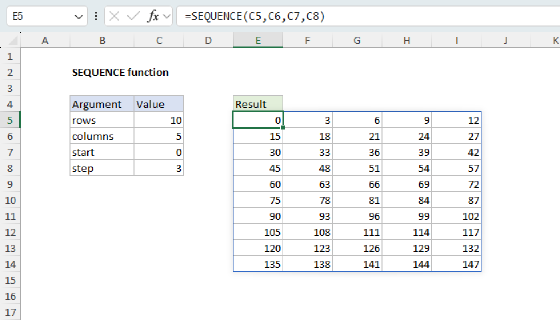
  counter,SEQUENCE(rows1*rows2*rows3,,0),
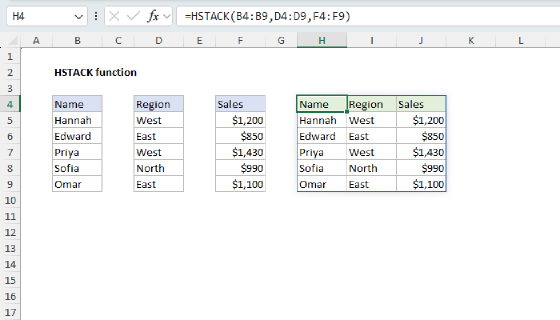
  HSTACK(
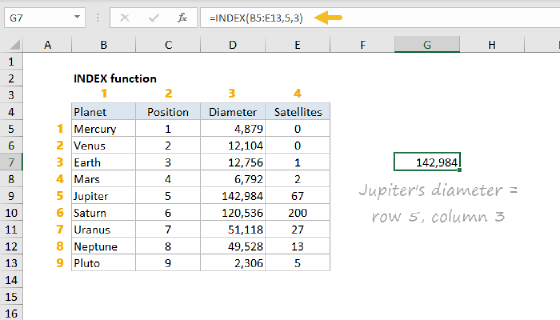
    INDEX(list1,MOD(INT(counter/(rows2*rows3)),rows1)+1),
    INDEX(list2,MOD(INT(counter/rows3),rows2)+1),
    INDEX(list3,MOD(counter,rows3)+1)
  )
)
This formula returns all 24 combinations in a table that lands in cell F5 and spills into the range F5:H28.
Each result takes exactly one item from each list, so the count is simple multiplication: 4 sizes × 3 colors × 2 styles = 24. In database terms this is a cross join; in math it is a Cartesian product. To list combinations of items drawn from a single list, see List all combinations. For the difference between combinations and permutations, see Combinations and permutations in Excel.
Generic formula
=LET(
  list1,range1,list2,range2,list3,range3,
  rows1,ROWS(list1),rows2,ROWS(list2),rows3,ROWS(list3),
  counter,SEQUENCE(rows1*rows2*rows3,,0),
  HSTACK(
    INDEX(list1,MOD(INT(counter/(rows2*rows3)),rows1)+1),
    INDEX(list2,MOD(INT(counter/rows3),rows2)+1),
    INDEX(list3,MOD(counter,rows3)+1)
  )
)
The lists can be different lengths, and the output always has one column per list. To work with two lists or four lists instead of three, see the variations below.
Explanation
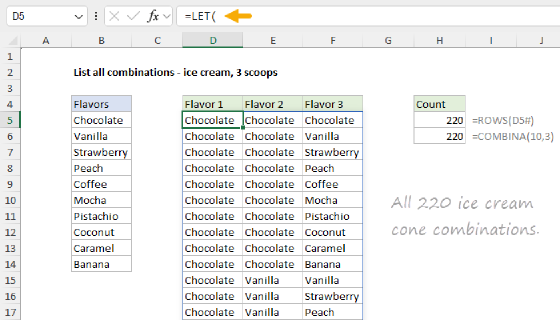
Excel has functions that count combinations and permutations created from a single list, but nothing that combines items across multiple lists. The goal in this example is to show how to build a formula that will generate every combination when values are pulled from several lists. Specifically, we want to generate combinations assembled from every size, every color, and every style.
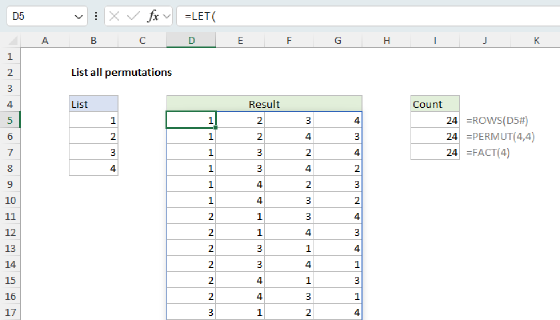
This page uses the same odometer counting approach used in our other examples for listing permutations and combinations, with one twist: each position in the result draws from its own list, so each "wheel" has a different size.
Is this a combination or a permutation? Strictly speaking, it is neither. Combinations and permutations both draw several items from a single list, and the key question is whether the order of the items matters. In this problem, each item comes from a different list, and each list owns one column of the output: size is always first, color is always second, style is always third. There is no reordering to worry about, and no way to pick the same item twice, so the questions that separate combinations from permutations never come up. The mathematical name for this kind of result is a Cartesian product; database people call it a cross join. In everyday language, however, almost everyone calls these results "combinations" ("how many combinations of size, color, and style can we offer?"), so that's what we use here.
Table of contents
- One item from each list
- Start with two lists
- Adding a third list
- More than three lists
- Combinations grow fast
- Summary
One item from each list
In this problem, every result is built the same way: pick one size, one color, and one style. Each output row takes exactly one item from each list, and each list feeds one column of the output. Counting the results doesn't need a special function, because the total is just the product of the list sizes:
=ROWS(B5:B8)*ROWS(C5:C7)*ROWS(D5:D6)
=4*3*2 // returns 24
This makes the problem different from listing combinations from a single list, where the same items can show up in different orders and we need a filter to remove duplicates. Here there is nothing to filter: every pairing of one size, one color, and one style is valid. We only need a reliable way to walk through all 24 pairings. That is exactly what an odometer does, so the approach is the same as in other examples: count with SEQUENCE, then decode each count into positions.
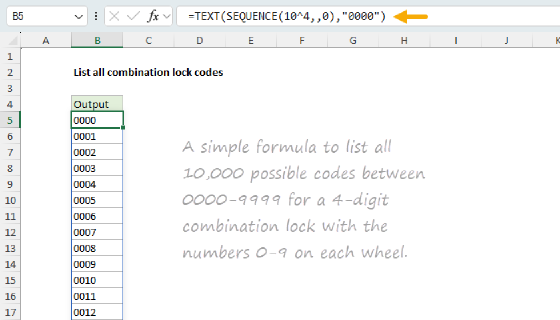
For more details on the odometer idea, see: List all combination lock codes.
Start with two lists
The easiest way to see the pattern is with two lists. In the worksheet below, the goal is to list every combination of 4 sizes and 3 colors, which means 4 × 3 = 12 combinations. The formula in E5 is:
=LET(
  list1,B5:B8,
  list2,C5:C7,
  rows1,ROWS(list1),
  rows2,ROWS(list2),
  counter,SEQUENCE(rows1*rows2,,0),
  HSTACK(
    INDEX(list1,MOD(INT(counter/rows2),rows1)+1),
    INDEX(list2,MOD(counter,rows2)+1)
  )
)
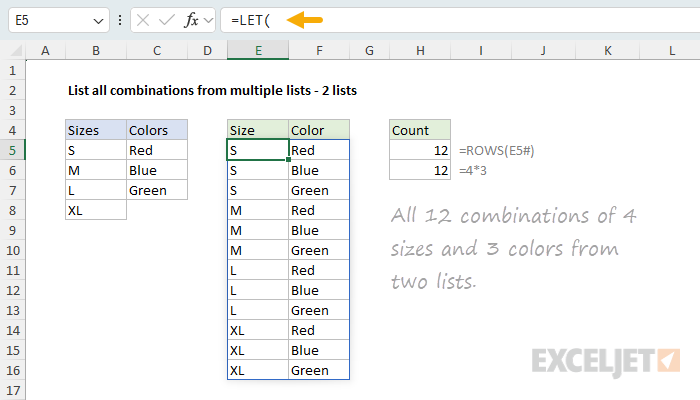
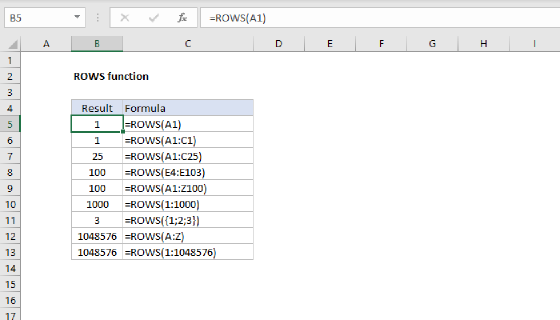
Think of the two lists as two odometer wheels. The color wheel is on the right, so it turns fastest: Red, Blue, Green, then back to Red. Every time the colors complete a full cycle, the size wheel advances by one. The ROWS function measures each list, and SEQUENCE counts through all 12 combinations, starting at zero:
counter,SEQUENCE(rows1*rows2,,0) // 12 numbers, 0 to 11
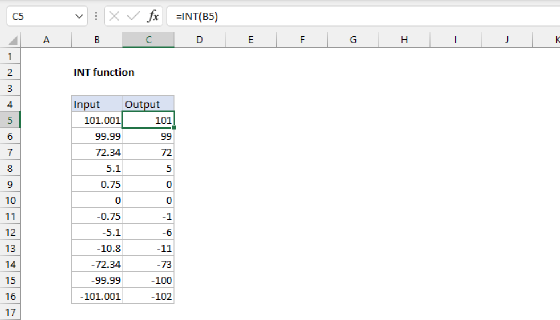
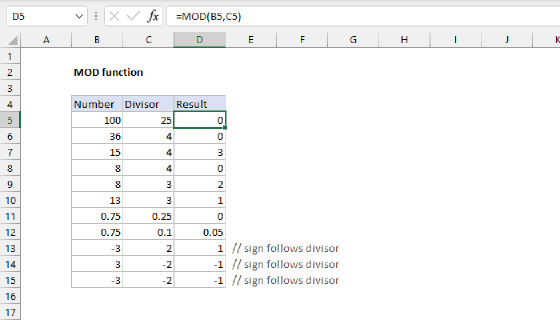
To decode each count, we divide by the size of the right list. The INT function returns how many full color cycles have passed, which is the size position, and the MOD function returns the remainder, which is the color position:
MOD(INT(counter/rows2),rows1) // {0;0;0;1;1;1;2;2;2;3;3;3} size positions
MOD(counter,rows2)            // {0;1;2;0;1;2;0;1;2;0;1;2} color positions
The leftmost wheel can never overflow, so the MOD is not strictly required, but keeping it means every position follows the same pattern. The decode returns positions starting at zero, while INDEX counts rows starting at 1, so we need to add 1 and use INDEX to fetch the actual values from each list. Finally, the HSTACK function joins the two columns into a single table. The result is 12 rows and 2 columns: every size paired with every color.
Adding a third list
With three lists, the odometer just gets another wheel. Styles become the fastest wheel on the right, colors advance when styles complete a cycle, and sizes advance when colors complete a cycle. This is the formula from the top of the page:
=LET(
  list1,B5:B8,
  list2,C5:C7,
  list3,D5:D6,
  rows1,ROWS(list1),
  rows2,ROWS(list2),
  rows3,ROWS(list3),
  counter,SEQUENCE(rows1*rows2*rows3,,0),
  HSTACK(
    INDEX(list1,MOD(INT(counter/(rows2*rows3)),rows1)+1),
    INDEX(list2,MOD(INT(counter/rows3),rows2)+1),
    INDEX(list3,MOD(counter,rows3)+1)
  )
)
The only new idea is the divisors. Each wheel advances once when all wheels to its right complete a full cycle, so each list's divisor is the product of the sizes of the lists to its right:
INT(counter/(rows2*rows3)) // sizes: 3 colors × 2 styles = 6 per size
INT(counter/rows3)         // colors: 2 styles per color
counter                    // styles: fastest wheel, no division
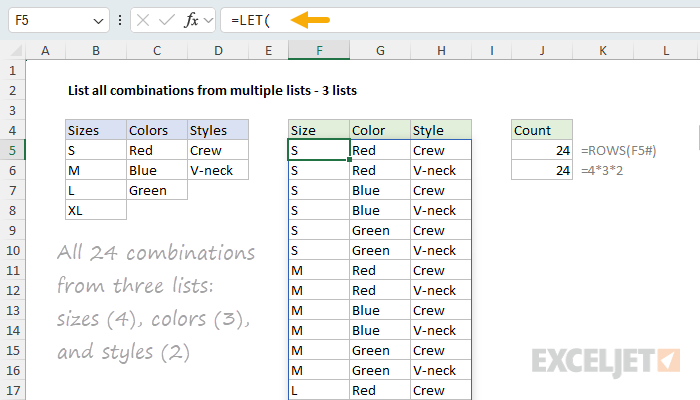
To check the logic, take counter value 13. Sizes: INT(13/6) = 2, position 2, which is "L" after adding 1. Colors: MOD(INT(13/2),3) = MOD(6,3) = 0, position 0, "Red". Styles: MOD(13,2) = 1, position 1, "V-neck". So row 14 of the output is L, Red, V-neck, and every other row decodes the same way. The result is all 24 combinations:
When every wheel is the same size, the divisors are plain powers, like 10^2, 10^1, 10^0 for a 3-digit number. Here each place has its own base, which is called a mixed-radix number system. The name is not important, but the place-value idea is: divide to bring a wheel into view, take the remainder to read it.
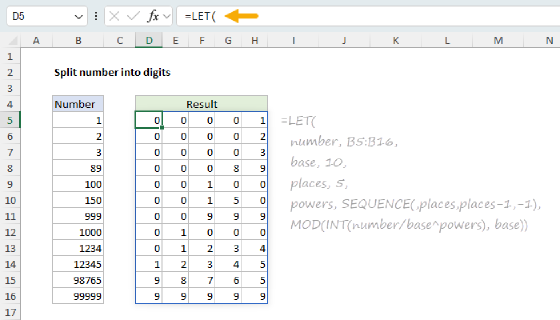
The place-value decode is explained step by step on Split number into digits, and the same engine generates permutations and combinations from a single list.
More than three lists
The pattern extends to any number of lists mechanically: add the new list, multiply it into the SEQUENCE count, and remember that each divisor is the product of the list sizes to its right. With four lists, the formula looks like this:
=LET(
  list1,range1,list2,range2,list3,range3,list4,range4,
  rows1,ROWS(list1),rows2,ROWS(list2),rows3,ROWS(list3),rows4,ROWS(list4),
  counter,SEQUENCE(rows1*rows2*rows3*rows4,,0),
  HSTACK(
    INDEX(list1,MOD(INT(counter/(rows2*rows3*rows4)),rows1)+1),
    INDEX(list2,MOD(INT(counter/(rows3*rows4)),rows2)+1),
    INDEX(list3,MOD(INT(counter/rows4),rows3)+1),
    INDEX(list4,MOD(counter,rows4)+1)
  )
)
Reading the divisors from left to right, they shrink one list at a time: rows2*rows3*rows4, then rows3*rows4, then rows4, then nothing. Each INDEX line follows the same template, so adding a fifth list is one more line and one more term in each product.
Tip: size each range to the exact number of entries. An empty cell inside a list range is treated as a valid item and will show up as a zero in the results.
If every position draws from the same list, you don't need separate ranges: a more compact version of this formula handles that case on List all combination lock codes.
Combinations grow fast
Because the total is the product of all list sizes, results grow quickly as lists get longer:
=4*3*2      // returns 24
=10*20*50   // returns 10,000
=50*50*50   // returns 125,000
An Excel worksheet has 1,048,576 rows, so a large product will run out of room. One nice property of this formula compared to the single-list pages: there is no filter, so no rows are wasted. The formula generates exactly the combinations required.
Summary
Listing every combination from multiple lists is a cross join, and the odometer handles it with one wheel per list:
- Count the combinations by multiplying the list sizes together, and count through them with
SEQUENCEstarting at zero. - Decode each count into positions: each list's divisor is the product of the list sizes to its right, with
INTto bring a wheel into view andMODto read it. - Add 1 and use
INDEXto fetch the actual values, then join the columns withHSTACK. - To add another list, add one more
INDEXline and extend the divisor products.
To list combinations or arrangements drawn from a single list, see List all combinations and List all permutations of a list. For the difference between combinations and permutations, see Combinations and permutations in Excel.