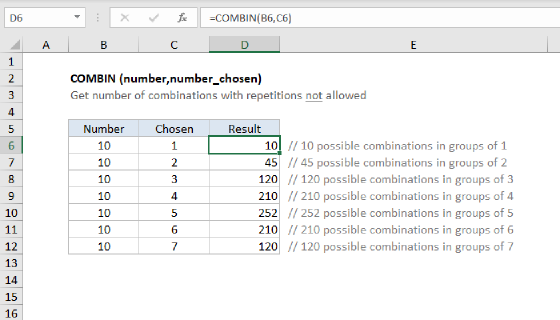
Summary
To list every possible combination of items from a list, you can use a formula based on the SEQUENCE function, the INDEX function, and the FILTER function. In the example shown, the goal is to list every way to choose 3 scoops of ice cream from 10 flavors when repeats are allowed. The list of flavors is in B5:B14, and the formula in D5 is:
=LET(
  list,B5:B14,
  n,ROWS(list),
  k,3,
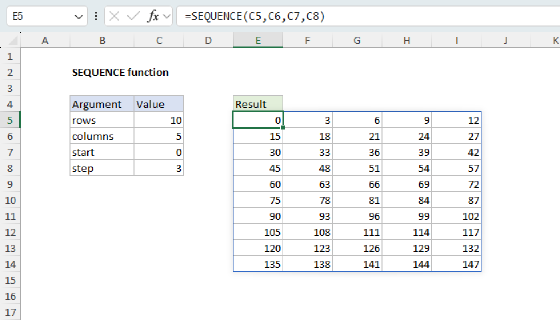
  counter,SEQUENCE(n^k,,0),
  powers,SEQUENCE(,k,k-1,-1),
  picks,MOD(INT(counter/n^powers),n)+1,
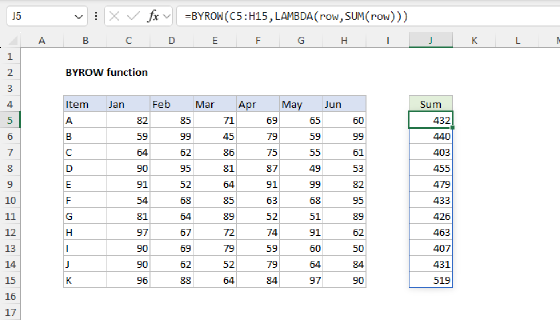
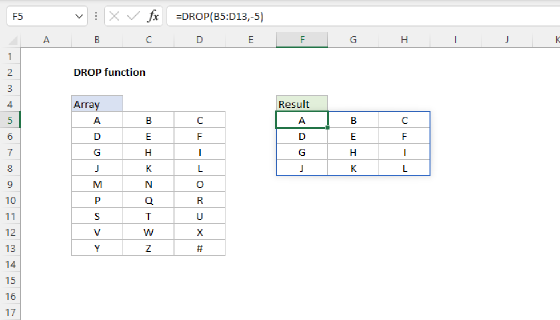
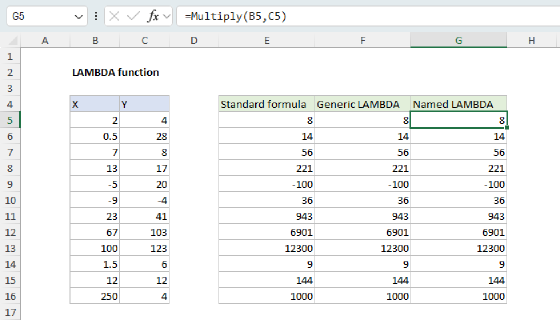
  keep,BYROW(picks,LAMBDA(tuple,AND(DROP(tuple,,1)>=DROP(tuple,,-1)))),
  FILTER(INDEX(list,picks),keep)
)
This formula returns all 220 combinations in a table that lands in cell D5 and spills into the range D5:F224.
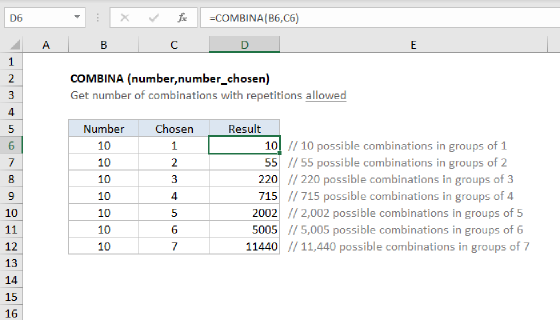
Because order does not matter and flavors can repeat, this is a combination with repetition, and the count is
COMBINA(10,3) = 220. To list combinations without repetition, you change a single comparison operator, shown in Combinations without repetition below. For the difference between combinations and permutations, see Combinations and permutations in Excel.
Generic formula
=LET(
  list,range,n,ROWS(list),k,items_to_choose,
  counter,SEQUENCE(n^k,,0),
  powers,SEQUENCE(,k,k-1,-1),
  picks,MOD(INT(counter/n^powers),n)+1,
  keep,BYROW(picks,LAMBDA(tuple,AND(DROP(tuple,,1)>=DROP(tuple,,-1)))),
  FILTER(INDEX(list,picks),keep)
)
To choose a different number of items, change k. Everything else adjusts on its own. Because this formula first generates all possible choices, the value of n^k can't exceed Excel's worksheet row limit of 1,048,576 rows. Even if FILTER returns only a small subset, Excel still has to create the larger intermediate array first. If you exceed this limit the formula will return #VALUE!.
Note the formula builds
n^k"tuples". In mathematics and programming, atupleis just an ordered list of positions like{1,2,3}.
Explanation
Excel has functions that count combinations (COMBINA and COMBIN), but these functions don't list the actual combinations. The goal in this example is to generate a list of every combination.
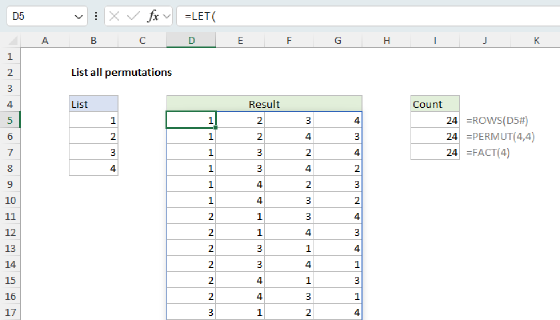
This page builds directly on the technique from List all permutations of a list. It uses the same generate-and-filter engine, with one change: the test that decides which rows to keep. That change is the difference between listing permutations and listing combinations.
Table of contents
- Why this is a combination problem
- The same engine, a different filter
- Keep one row per combination
- The complete formula
- Combinations without repetition
- Combinations grow fast
- Summary
Why this is a combination problem
You walk into an ice cream shop with 10 flavors and order a 3-scoop cone. You can repeat flavors if you like (three scoops of chocolate is fine), but the order of the scoops doesn't matter: chocolate-vanilla-strawberry is the same as strawberry-vanilla-chocolate. These two rules are what make this a combination with repetition:
- Order does not matter: that is what makes it a combination rather than a permutation.
- Repeats are allowed: the same flavor can appear more than once.
Excel can count this case with the built-in COMBINA function:
=COMBINA(10,3) // returns 220
COMBINA gives the count, but it cannot list the 220 combinations. That is the purpose of the formula on this page. For a full explanation of why this is a combination and not a permutation, see Combinations and permutations in Excel.
The same engine, a different filter
The approach is generate, then filter, the same engine used to list permutations. First we generate every possible tuple of positions with the odometer counting trick, then we keep only the tuples we want.
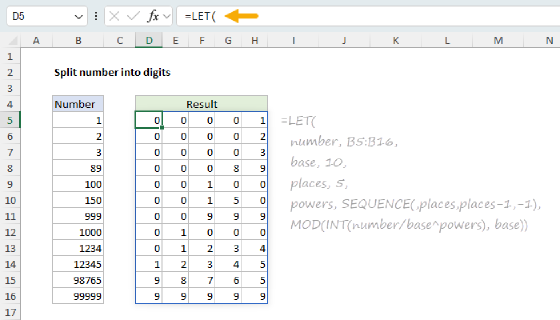
With 10 flavors and 3 scoops, there are 10^3 = 1,000 tuples to count through. We generate that count with the SEQUENCE function starting at zero, then decode all positions at once. A small horizontal array of powers tells each position how far to shift, and dividing the counter column by n^powers spreads the decode across a 1,000-row by 3-column matrix called picks:
counter,SEQUENCE(n^k,,0),  // n = 10, k = 3, so 1,000 numbers, 0 to 999
powers,SEQUENCE(,k,k-1,-1),  // a row: {2, 1, 0}
picks,MOD(INT(counter/n^powers),n)+1  // tuples like 1,1,1
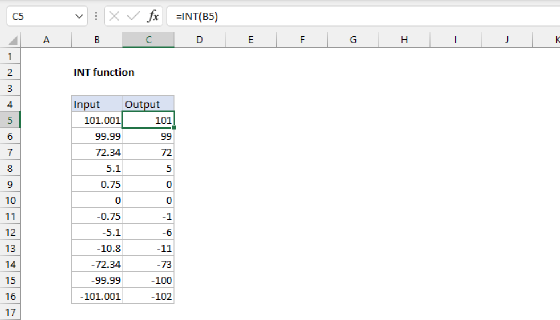
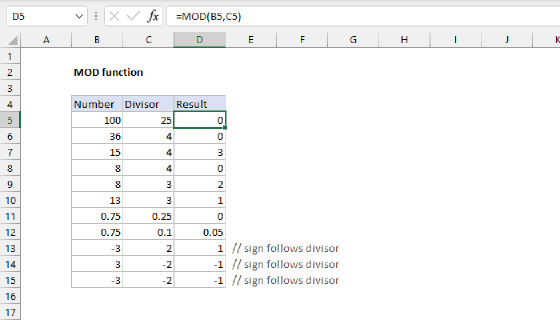
INT shifts each position into view, MOD reads it off, and the +1 lines the result up with INDEX, which counts rows starting at 1. At this point picks holds all 1,000 tuples of positions, from 1,1,1 to 10,10,10. The number of positions comes from k, so choosing a different number of scoops is a one-number change.
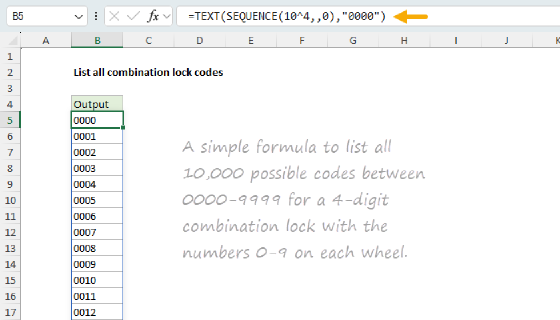
The full place-value decode is explained step by step on Split number into digits, the same decode used on the permutations page and the combination lock codes page.
Keep one row per combination
The 1,000 tuples in picks include the same cone many times over. For example, a cone with one chocolate (position 1) and two vanillas (position 2) shows up as 1,2,2, 2,1,2, and 2,2,1, but they are all the same cone since order doesn't matter. To list true combinations, we use a clever trick: we keep only tuples where the positions never decrease from left to right. This works because, for any given flavor combination, only one ordering is non-decreasing.
To apply this logic, we test each row of picks with the BYROW function, comparing each position to the one before with the DROP function:
keep,BYROW(picks,LAMBDA(tuple,AND(DROP(tuple,,1)>=DROP(tuple,,-1))))
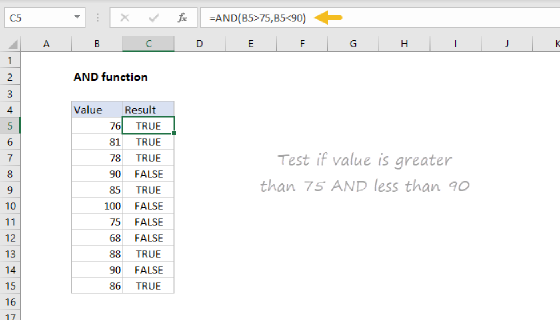
For each row (tuple), DROP makes two "shifted" copies: one with the first position removed DROP(tuple,,1), one with the last position removed DROP(tuple,,-1). Then, we compare with the >= operator to check that every value is greater than or equal to the value to its left. Comparing like this lines up each value with its left neighbor. Because the test generates more than one true or false value, we wrap the comparison in the AND function:
tuple = {2,5,5} // {vanilla,coffee,coffee}
DROP(tuple,,1)  = {5,5}  // drop the first
DROP(tuple,,-1) = {2,5} // drop the last
{5,5} >= {2,5}  =  {TRUE,TRUE}
AND({TRUE,TRUE}) // returns TRUE, keep

tuple = {5,2,5} // {coffee,vanilla,coffee}
DROP(tuple,,1)  = {2,5}
DROP(tuple,,-1) = {5,2}
{2,5} >= {5,2}  =  {FALSE,TRUE}
AND({FALSE,TRUE}) // returns FALSE, discard
Note that the >= allows positions to be equal, which is what lets a flavor repeat: 1,1,2 is a valid cone with two chocolates and one vanilla. Out of the 1,000 tuples, exactly 220 pass this test, matching the result from COMBINA(10,3).
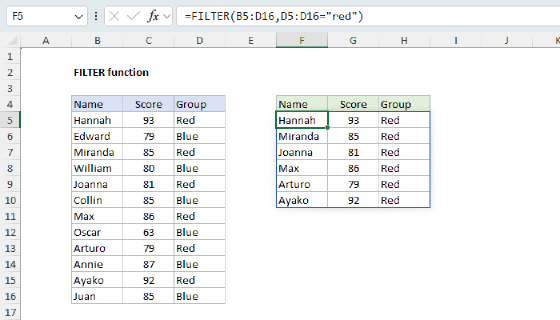
The result from BYROW is a vertical array of TRUE/FALSE values, one per row, where TRUE indicates rows to keep and FALSE indicates rows to discard. This array is assigned to keep, which is used inside FILTER as the include argument like this:
FILTER(INDEX(list,picks),keep)
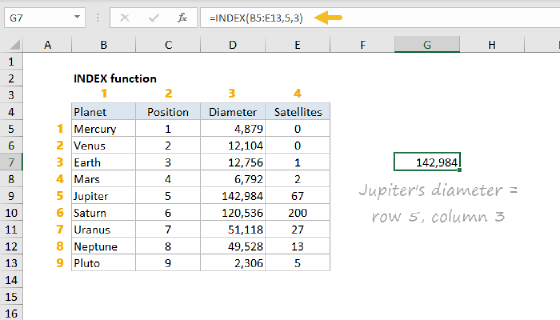
The array argument in FILTER is created by the INDEX function, which is configured to fetch the actual flavor names from the original list:
INDEX(list,picks) // fetch actual values
Looking up the values like this preserves type: real values come straight from the list, so text stays text and numbers stay numbers.
Finally,, FILTER returns only the rows where keep is TRUE, so the result is a list of 220 valid ice cream cone combinations.
The complete formula
Putting it together gives the formula from the top of the page, with the LET function naming each step:
=LET(
  list,B5:B14,
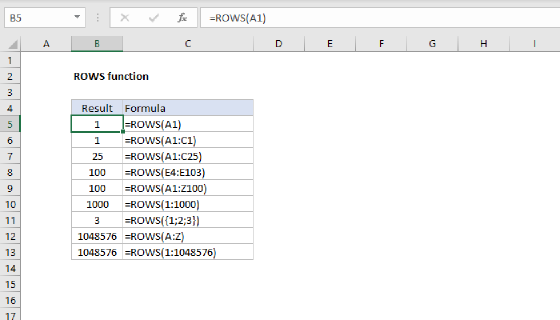
  n,ROWS(list),
  k,3,
  counter,SEQUENCE(n^k,,0),
  powers,SEQUENCE(,k,k-1,-1),
  picks,MOD(INT(counter/n^powers),n)+1,
  keep,BYROW(picks,LAMBDA(tuple,AND(DROP(tuple,,1)>=DROP(tuple,,-1)))),
  FILTER(INDEX(list,picks),keep)
)
The result is a table of 220 rows by 3 columns, every possible 3-scoop cone:
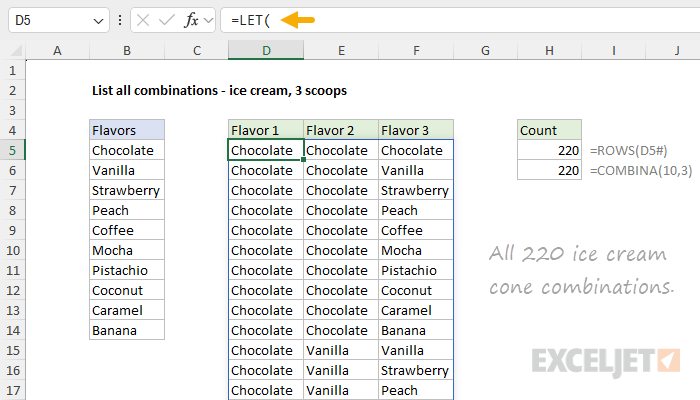
You can confirm the count by comparing the number of rows in the spilled result to COMBINA, which both return 220:
=ROWS(D5#)       // returns 220
=COMBINA(10,3)   // returns 220
Combinations without repetition
Sometimes repetition is not allowed. For example, a pizza shop offers 10 toppings and lets you choose any 3 different toppings. Order still does not matter (pepperoni, mushrooms, onions is the same as onions, mushrooms, pepperoni), but now no topping can appear twice. This is a combination without repetition, which can be counted with the COMBIN function:
=COMBIN(10,3) // returns 120
So, there are 120 pizza combinations. To list the actual combinations, we can use the same approach that we used above for ice cream. However, we need to make one small change. To list combinations where repetition is not allowed, we need to switch the non-decreasing test (>=) to a strictly increasing test (>):
keep,BYROW(picks,LAMBDA(tuple,AND(DROP(tuple,,1)>DROP(tuple,,-1))))
This test forbids equal positions, so a topping can never be chosen twice. Everything else in the formula stays the same:
=LET(
  list,B5:B14,
  n,ROWS(list),
  k,3,
  counter,SEQUENCE(n^k,,0),
  powers,SEQUENCE(,k,k-1,-1),
  picks,MOD(INT(counter/n^powers),n)+1,
  keep,BYROW(picks,LAMBDA(tuple,AND(DROP(tuple,,1)>DROP(tuple,,-1)))),
  FILTER(INDEX(list,picks),keep)
)
Now the result is 120 rows by 3 columns, every set of 3 different toppings:
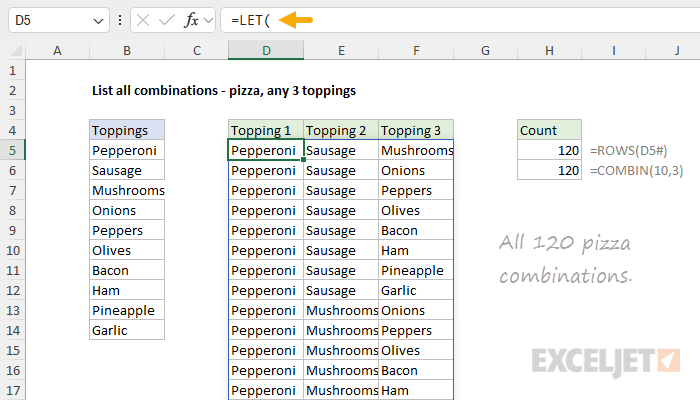
It's interesting that one operator is the only difference between the two formulas: >= allows repeats (a combination with repetition), and > forbids them (a combination without repetition). The count drops from 220 to 120 because the ice cream flavor combination list includes cones that use a flavor more than once.
=COMBINA(10,3)  // returns 220 (repeats allowed)
=COMBIN(10,3)   // returns 120 (no repeats)
Combinations grow fast
The formulas on this page choose 3 items, set by k,3. To choose a different number, change k and everything else adjusts on its own. Beware that you can easily hit Excel's limits. The decode generates n^k tuples before filtering (10^3 = 1,000 here), so a large list or a large k can produce far more tuples than Excel can handle due to a limit of 1,048,576 rows per worksheet. This limit is applied to the array generated before filtering.
Combination counts themselves also grow quickly:
=COMBINA(20,3)  // returns 1,540
=COMBIN(20,3)   // returns 1,140
For problems that require many positions, a recursive LAMBDA that generates only the valid combinations is a better tool, the same way it is for permutations of a longer list.
Summary
Listing every combination of a list uses the same generate-and-filter engine as permutations, with one change: an ordering filter instead of a distinctness filter.
- Count through every position tuple with
SEQUENCE, then decode every position at once with apowersrow,INT, andMOD. - Keep only the tuples whose positions are in order, so each combination is listed once.
- Use
>=to allow repeats (COMBINA) or>to forbid them (COMBIN). - Pull the real values by handing the whole position matrix to
INDEX, then filter withFILTER.
To list arrangements where order does matter, see List all permutations of a list. For the difference between combinations and permutations, see Combinations and permutations in Excel.