Summary
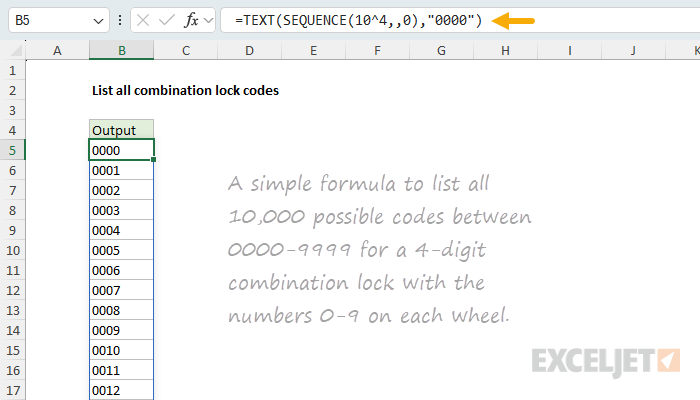
To list every possible code for a 4-digit combination lock with the numbers 0-9 on each wheel, you can use a formula based on the SEQUENCE function and the TEXT function. In the example shown, the formula in B5 is:
=TEXT(SEQUENCE(10^4,,0),"0000")
This formula returns all 10,000 four-digit codes, from 0000 to 9999 in an array that lands in cell B5 and spills into the range B5:B10004.
Because order matters and digits can repeat, a lock code is really a permutation with repetition, not a combination, and the total count is 10^4 = 10,000. The examples below show how to split each code into separate columns, handle codes of any length, work with locks of any base (like a 40-number rotary dial), and generate codes from any set of symbols.
Generic formula
=TEXT(SEQUENCE(10^n,,0),REPT("0",n))
Where n is the number of digits in the code.
Explanation
Excel has a number of functions to count the possible combinations or permutations for a given problem, but none of these functions will help you list all possibilities. The goal of this article is to look at formulas that will actually generate all combination codes for several different kinds of locks.
Each example below works like a car odometer: to list all codes, you count from the first to the last, and each wheel rolls forward only when the wheel to its right finishes a full turn. To read a single code, you "decode" that count back into its separate positions. It's a general pattern that works with numbers, letters, or any list of symbols, and it keeps your original values intact.
Table of contents
- Combinations vs permutations
- The odometer concept
- Basic formula
- Splitting codes into separate columns
- Digits 1 to 9 instead of 0 to 9
- A rotary dial padlock
- Codes from any set of symbols
- Codes grow fast
- Summary
Combinations vs permutations
Before we get into the formulas, a quick word on terminology. People say "combination locks," but mathematically the name is backwards:
- A combination is a selection where order does not matter. Picking 1, 2, 3 is the same combination as 3, 2, 1. Think of choosing three toppings for a pizza: the toppings are the same no matter what order you name them in.
- A permutation is an arrangement where order does matter.
123and321are two different permutations. A lock combination is therefore a permutation, not a combination.
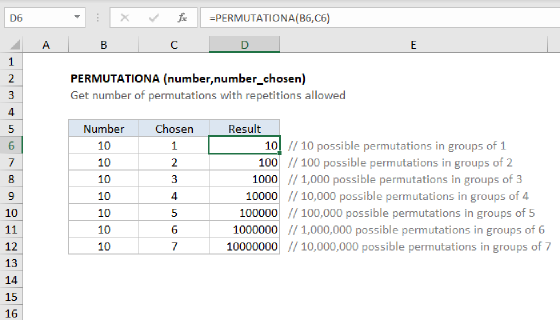
In addition, because a lock code also allows repetition (1122 and 0000 are both valid), combination codes are permutations with repetition. This means each of the r positions in the code has the full set of n choices, so the total count of all possible codes is n raised to the power r, n^r. Excel has a dedicated function for this count, called PERMUTATIONA:
=PERMUTATIONA(n,r) // n choices per position, r positions, repeats allowed
Excel labels these arguments number and number_chosen, which are just
nandrby another name. number isn, the choices available at each position, and number_chosen isr, how many positions the code has.
PERMUTATIONA returns the same number as n^r, and it matches every example on this page:
=PERMUTATIONA(10,4)  // 4-digit lock, digits 0-9     → 10,000
=PERMUTATIONA(9,4)   // 4-digit lock, digits 1-9     → 6,561
=PERMUTATIONA(40,3)  // 3-number rotary dial, 0-39   → 64,000
=PERMUTATIONA(4,4)   // 4 symbols A-D               → 256
If order did not matter, you would want a combination count instead, with COMBINA (repeats allowed) or COMBIN (no repeats). For a true permutation where repeats are not allowed, use PERMUT. For a complete explanation, see Combinations and permutations in Excel.
The odometer concept
Every example on this page rotates through all possible codes the same way a car odometer rotates through all numbers as it goes. The rightmost wheel turns fastest. Each time it passes 9 and rolls back to 0, it nudges the wheel to its left forward by one. The leftmost wheel turns the slowest.
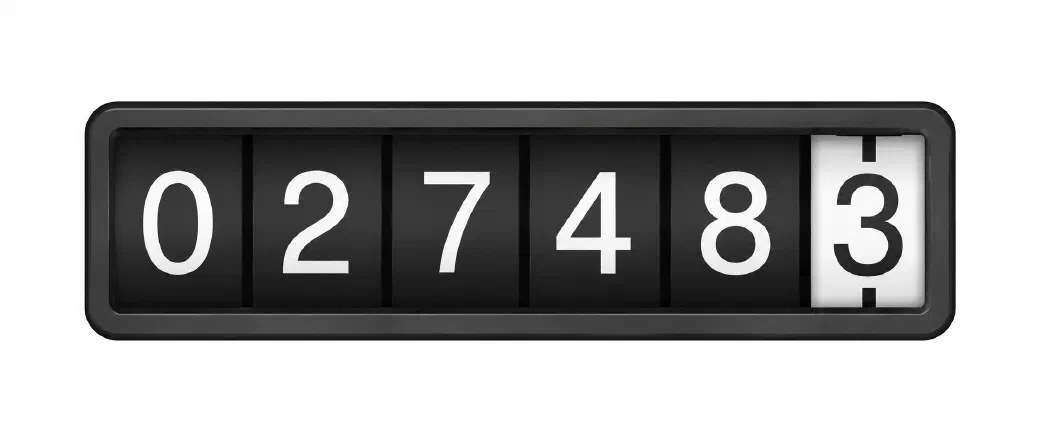
The odometer also ties into the idea of a number's base. The base is just how many positions each wheel has before it rolls over. Our everyday numbers are "base 10" because each digit runs 0 through 9, ten values, exactly like a 10-position odometer wheel. A lock with 10-digit wheels counts in base 10. The rotary dial further down this page, with 40 positions per wheel, counts in base 40. Nothing about counting changes, only how far each wheel turns before it carries to the next.
The base is also what sets the value of each place. Every step to the left is worth one full turn of the wheel to its right, so each place is worth the base times the one before it. In base 10 the places are 1, 10, 100, and 1000, which are the powers 10^0, 10^1, 10^2, and 10^3. In base 40 (a rotary dial combination lock) they become 1, 40, and 1600 (40^0, 40^1, 40^2). That is why the formulas below divide by powers of the base to pull each wheel into view: the power is the place value.
Basic formula
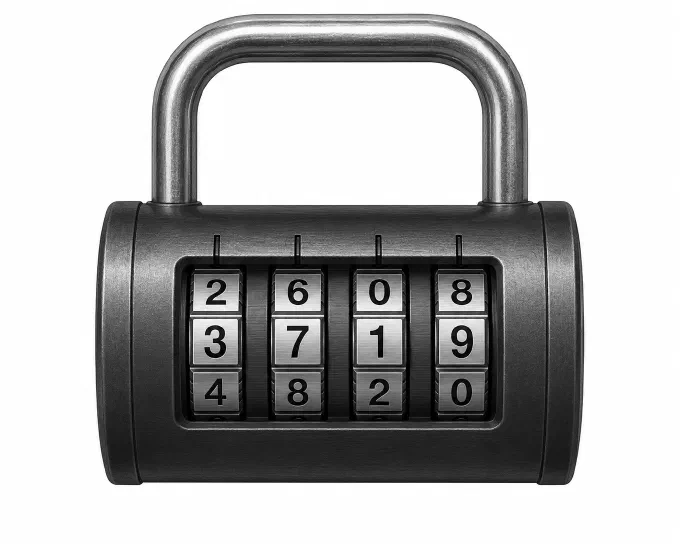
The first problem is to generate all possible codes for a 4-digit padlock, where each wheel has 10 numbers from 0-9. Each code has 4 positions, every position can be any digit 0-9, and the same digit can appear more than once. We want all codes, from 0000 to 9999. We have 4 positions (r) and 10 choices available at each position, so there are 10^4=10000 possible codes:
=PERMUTATIONA(10,4) // returns 10000
We can generate all codes with a formula based on the SEQUENCE function and the TEXT function:
=TEXT(SEQUENCE(10^4,,0),"0000")
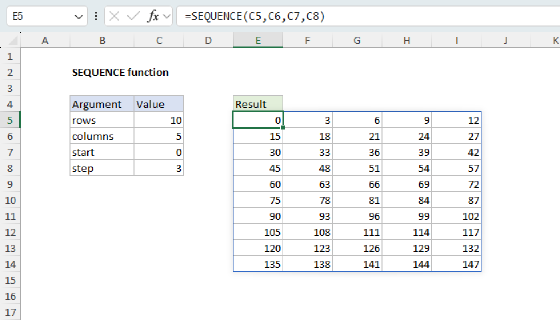
Working from the inside out, SEQUENCE is set to generate 10,000 consecutive numbers starting at zero:
=SEQUENCE(10^4,,0) // 10000 numbers, 0 to 9999
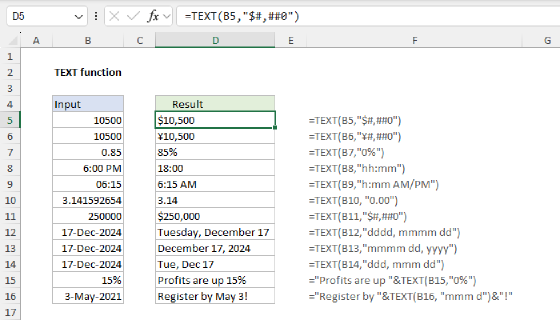
The first argument, 10^4, is the number of rows (10,000). The third argument, 0, tells SEQUENCE to start at zero instead of one. The result is an array that contains the numbers 0 through 9999. Because SEQUENCE will return numbers like 0, 1, 2, not 0000, 0001, 0002, we need to add leading zeros so that we always have 4 characters. We do that by wrapping SEQUENCE in the TEXT function with the number format "0000". The "0000" format forces exactly four digits by padding numbers with zeros:
=TEXT(0,"0000")     // returns "0000"
=TEXT(7,"0000")     // returns "0007"
=TEXT(9999,"0000")  // returns "9999"
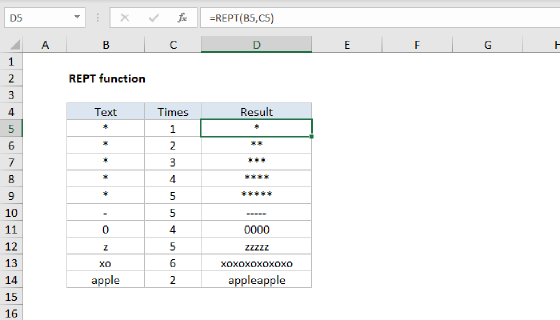
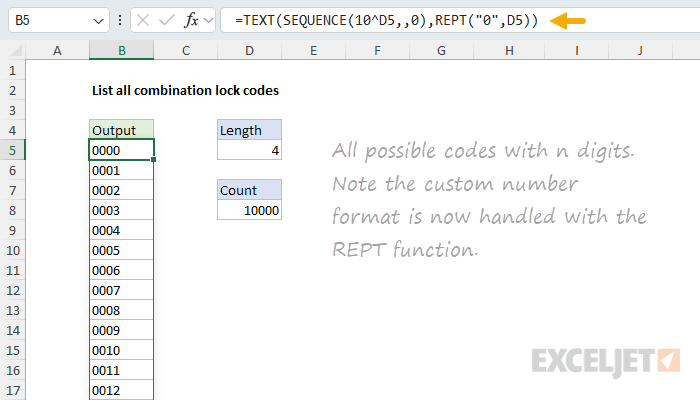
You can make the formula more flexible by replacing the hardcoded "0000" with a string created by the REPT function like this:
=TEXT(SEQUENCE(10^n,,0),REPT("0",n))
You can see this version of the formula in use below, where cell D5 supplies a value for n:
Note: Be careful increasing
n, because you will rapidly run out of rows in Excel.10^6 = 1,000,000is the practical limit. At10^7 = 10,000,000, the formula returns a #VALUE! error, since an Excel worksheet contains only 1,048,576 rows.
Splitting codes into separate columns
The formula above returns each code as a single text string. To output each position in its own column, you can extract each value separately with a formula like this.
=LET(
  counter, SEQUENCE(10^4,,0),
  HSTACK(
    MOD(INT(counter/10^3),10),
    MOD(INT(counter/10^2),10),
    MOD(INT(counter/10^1),10),
    MOD(counter,10)
  )
)
This formula returns a table with 10,000 rows and 4 columns, from 0,0,0,0 down to 9,9,9,9:
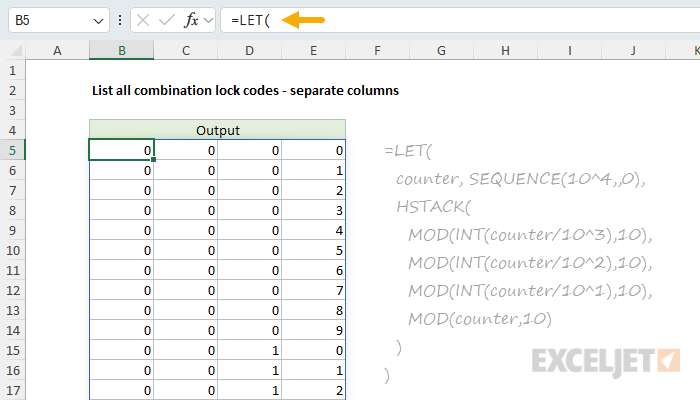
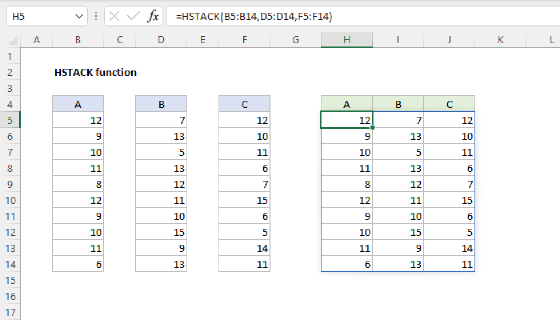
SEQUENCE is configured as before to create 10,000 consecutive numbers 0-9999. The result is assigned to the variable counter. The rest of the formula splits each number into four columns with the MOD function and the INT function:
MOD(INT(counter/10^3),10)  // thousands digit (left wheel)
MOD(INT(counter/10^2),10)  // hundreds digit
MOD(INT(counter/10^1),10)  // tens digit
MOD(counter,10)            // ones digit (right wheel)
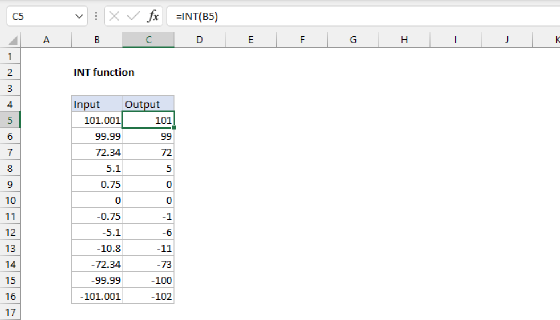
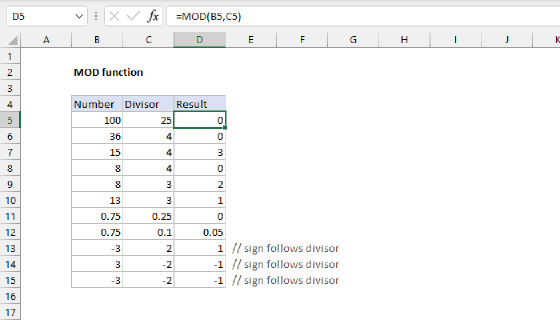
We are processing all 10,000 numbers in the counter at the same time at each step. INT gets the integer after division and MOD returns the remainder after dividing by 10. Notice the divisors are descending powers of 10: 10^3, 10^2, 10^1. The ones digit needs no division because its place weight is 10^0 = 1, leaving just MOD(counter,10). The leftmost wheel can never overflow, so its MOD is not strictly required, but keeping it means every position follows the same pattern. Finally, the HSTACK function is used to join each separate column together into a single table.
This counting-in-place-values trick has a formal name, mixed-radix decoding, but the odometer picture is all you need: divide to move a wheel into view, take the remainder to read it. The same idea is used in the other examples below.
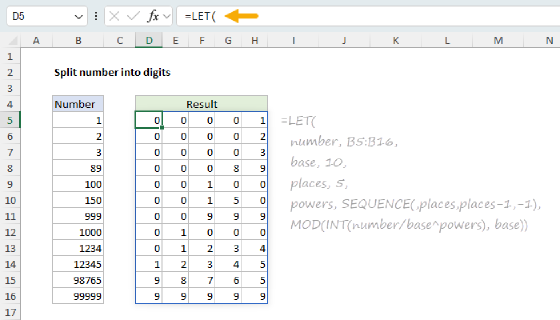
The place-value decode is explained step by step on Split number into digits, which uses the same INT and MOD pattern to break a single number into separate columns.
Digits 1 to 9 instead of 0 to 9
Some codes do not allow a zero, so each wheel runs 1-9 instead of 0-9. This means there are now 9 choices per wheel. To count the codes, multiply the number of choices for each wheel together. With 4 wheels of 9 choices each, that is 9 × 9 × 9 × 9, which is the same as 9^4 = 6,561:
=PERMUTATIONA(9,4) // returns 6,561
As before, this is a permutation with repetition: order matters and each wheel can repeat a value the others use, so every wheel has a full set of choices. The earlier base-10 lock is the same rule with 10 choices per wheel: 10^4 = 10,000.
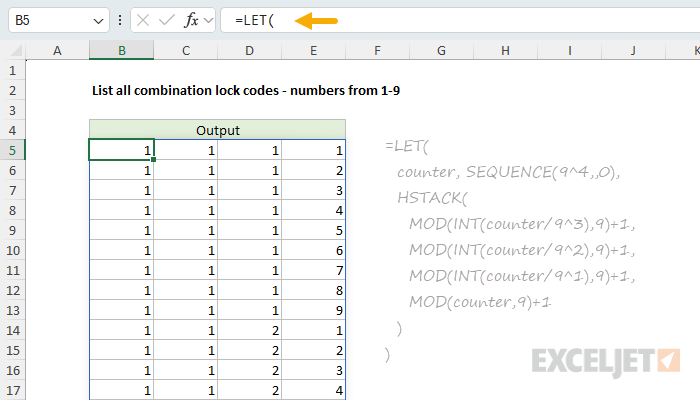
We generate codes the same way as before, then add 1 to shift each digit from the 0-8 range up to 1-9:
=LET(
  counter, SEQUENCE(9^4,,0),
  HSTACK(
    MOD(INT(counter/9^3),9)+1,
    MOD(INT(counter/9^2),9)+1,
    MOD(INT(counter/9^1),9)+1,
    MOD(counter,9)+1
  )
)
Notice the formula has the same shape, except the base has been changed from 10 to 9. Now the divisors are descending powers of 9, and each MOD divides by 9, because each wheel now cycles every 9 steps instead of every 10. You can see the result below:
A rotary dial padlock
A classic padlock with a rotary dial is an interesting variation. In this case, a code is composed of three numbers in sequence selected with a dial that contains 40 numbers, 0-39. For example, the combination might be 17-9-33 or 3-19-21.

Order still matters and numbers can repeat, so this is the same permutation-with-repetition pattern as the digital lock, with 40 positions per wheel instead of 10. The count is 40^3 = 64,000.
=PERMUTATIONA(40,3) // returns 64000
A dial with 40 numbers is no longer base 10, so there is no single number whose digits read off the dials. The odometer decode is the real tool, and it handles this with no trouble. Just switch the divisors to powers of 40:
=LET(
  counter, SEQUENCE(40^3,,0),
  HSTACK(
    MOD(INT(counter/40^2),40),
    MOD(INT(counter/40^1),40),
    MOD(counter,40)
  )
)
The result is a table with 64,000 rows by 3 columns, starting at 0,0,0 and ending at 39,39,39. The formula structure is the same, but now the divisors are descending powers of 40, and each MOD divides by 40, because each dial cycles every 40 steps. The worksheet below shows the result, scrolled to almost halfway through the table:
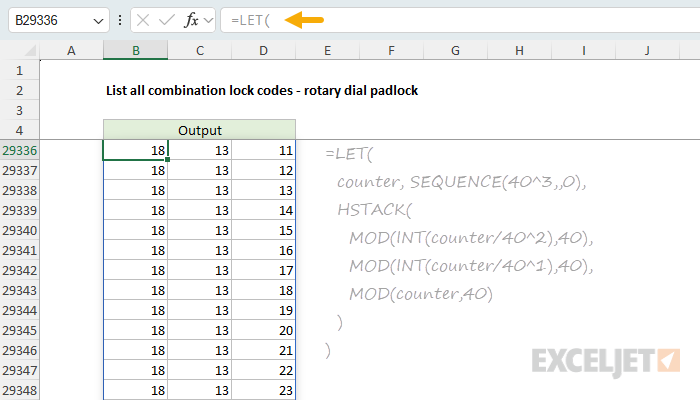
To show each code as a single readable string like "12-24-39" instead of three columns, we can modify the formula to join the decoded digits with a separator:
=LET(
  counter, SEQUENCE(40^3,,0),
  digit1, MOD(INT(counter/40^2),40),
  digit2, MOD(INT(counter/40^1),40),
  digit3, MOD(counter,40),
  digit1 & "-" & digit2 & "-" & digit3
)
This is a good example of how the odometer idea is flexible: each wheel can have however many positions it needs, and the decode process does not care what the base is.
Codes from any set of symbols
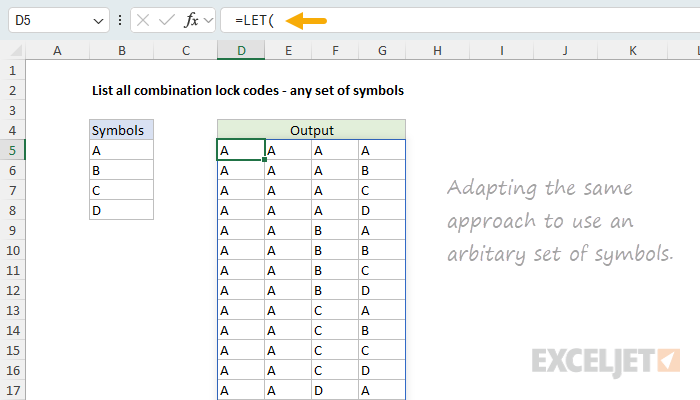
In this example, the lock does not use any digits. Instead, a code is composed of four characters that come from the range B5:B8: A,B,C,D. Order matters and repetition is allowed, so the total number of possible codes is 4^4=256:
=PERMUTATIONA(4,4) // returns 256
When each position draws from a list of symbols (letters, words, colors), use the INDEX function to fetch the actual value at each decoded position. You can see this approach below, where the range B5 to B8 contains four letters: A,B,C,D and the formula in cell D5 is:
=LET(
  list,B5:B8,
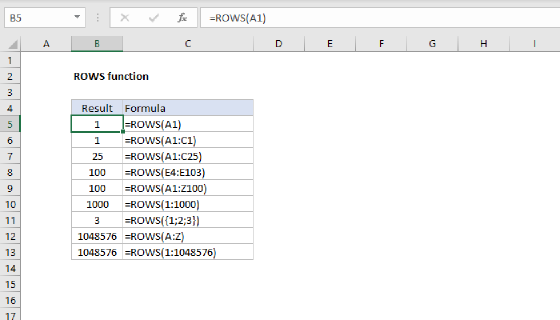
  n,ROWS(list),
  k,4,
  counter,SEQUENCE(n^k,,0),
  powers,SEQUENCE(,k,k-1,-1),
  picks,MOD(INT(counter/n^powers),n)+1,
  INDEX(list,picks)
)
This is the same odometer pattern as before, written in a more compact way. Instead of decoding each wheel on its own line, we decode all four wheels at once. The ROWS function counts the symbols to get the base, n, and k sets how many positions the code has. The powers variable is a single row of descending place values, {3,2,1,0}, created with SEQUENCE. Dividing counter (a column of 256 numbers) by n^powers (a row of place values) spreads the decode across a 256-row by 4-column matrix named picks, where INT and MOD read off each wheel exactly as before.
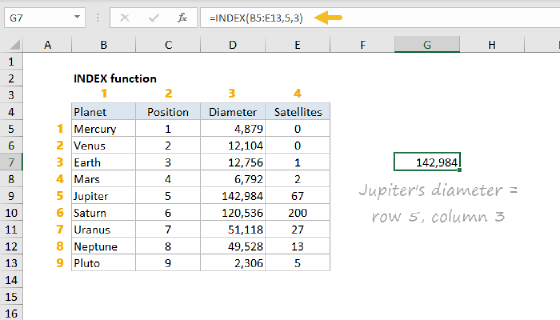
The decode returns positions from 0 to n-1, but INDEX counts rows starting at 1, so we add 1 to line the two up: position 0 becomes the first symbol, position 1 the second, and so on. The last step hands the whole picks matrix to INDEX in a single call. INDEX returns a result with the same shape as picks, with each position replaced by the actual symbol, so there is no need to assemble columns with HSTACK:
INDEX(list,picks) // fetch actual values
Because the list keeps its original values, the formula works with text or numbers and doesn't mangle data types. To generate codes with a different length, change k; everything else adjusts on its own.
This example uses just four letters to keep things simple. If we expand the list to include all 26 letters A-Z, we get many more permutations:
=PERMUTATIONA(26,4) // returns 456,976
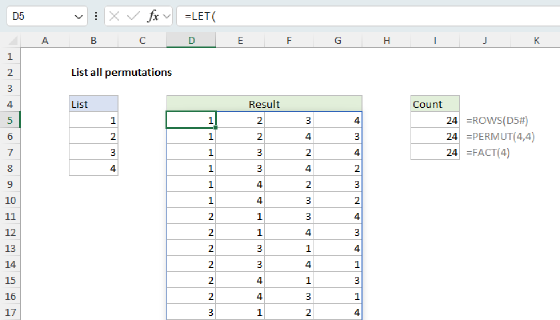
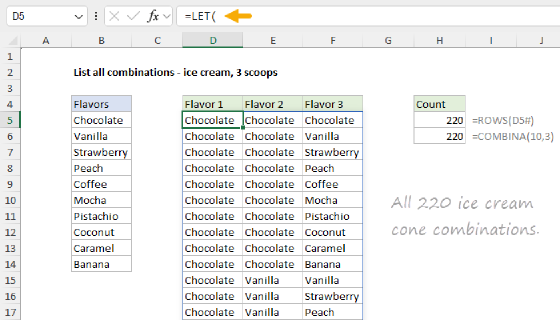
This compact decode is the same engine used to list all permutations and list all combinations. Those pages add one more step, a filter that keeps only certain codes.
Codes grow fast
Combination codes grow by multiplication, which is why they get large so quickly. Each extra position (wheel) multiplies the total by 10:
=10^4  // returns 10,000
=10^6  // returns 1,000,000
Adding just two more digits multiplies the number of codes by 100. The dedicated function for this count is PERMUTATIONA, which counts permutations when repetition is allowed:
=PERMUTATIONA(10,4) // returns 10,000
Keep an eye on size before you generate: a long code can spill far more rows than a worksheet can comfortably hold.
Summary
A combination lock code is a permutation with repetition, and listing every code is really just counting like an odometer:
- Count through every code with
SEQUENCEstarting at zero, then format each number as a padded code withTEXTandREPT. - To split a code into separate columns, decode each place value with
INT(to shift a wheel into view) andMOD(to isolate it), then join the columns with HSTACK. - The same decode works in any base, so a 40-number rotary dial can be handled like a 10-digit padlock; just divide by powers of that base.
- Add 1 to shift away from zero, or hand the whole matrix of decoded positions to INDEX to fetch values from any list of symbols.
To understand why a lock code is a permutation and not a combination, see Combinations and permutations in Excel.